
What does Riverside do?
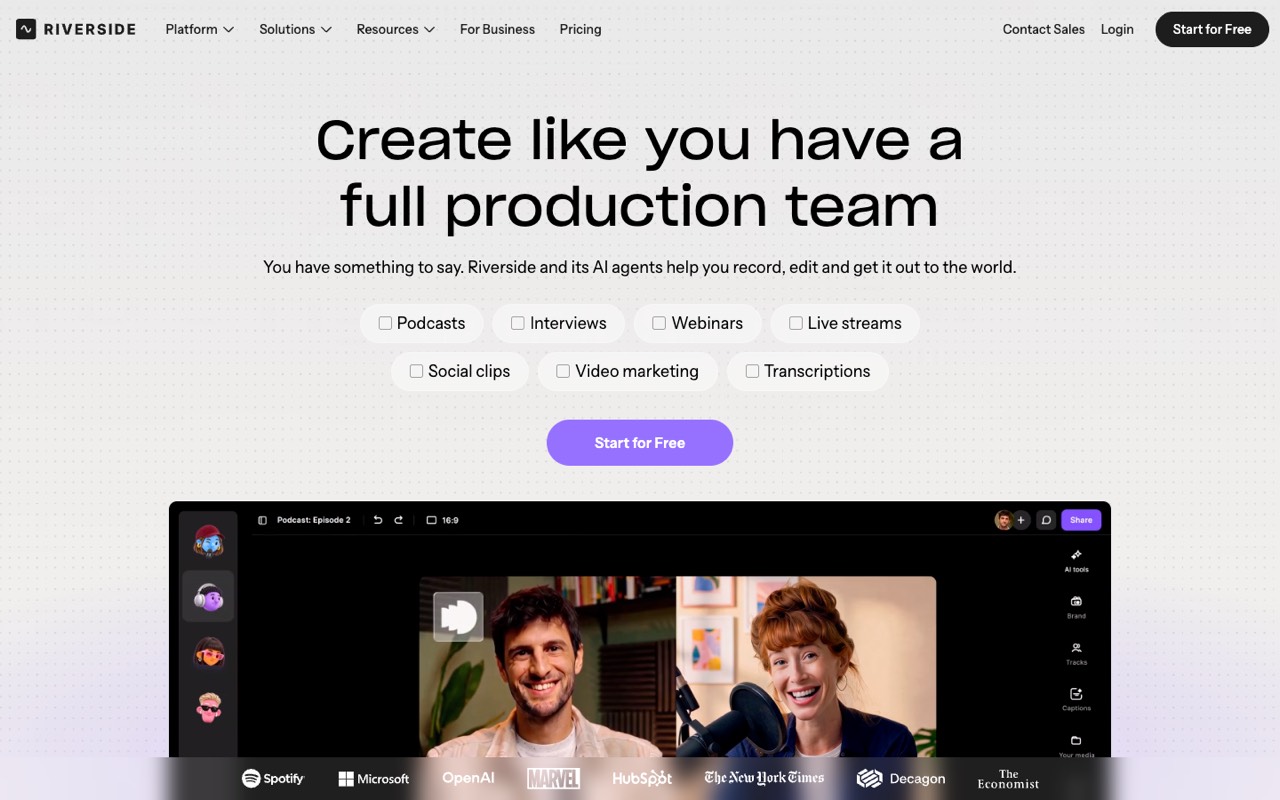
Riverside is a browser-based studio for recording podcasts and video interviews, with separate high-quality tracks for each guest and a text-based AI editor. Pro is $24/mo billed yearly ($29 monthly). It suits podcasters and video creators who record remote guests; skip it if you only need text-to-speech or quick voice clean-up.
- Remote studio recording. Record guests from the browser in up to 4K video and 48kHz audio on paid plans, with each participant captured on a separate track.
- Text-based AI editor. Edit a recording by editing its transcript; the pricing page lists AI B-roll, eye contact, and removing silences and filler words.
- Magic Clips. Turns a long recording into short clips for social media; the FAQ says Magic Clips doesn't use AI credits.
- Transcription and captions. Unlimited transcriptions on Pro and above, plus captions, AI show notes and AI translation (translation uses AI credits).
- Magic Audio and enhancement. Audio enhancement is listed on Pro; Business adds video enhancement.
- Live streaming and webinars. Grow adds 1080p live streaming and multistreaming to YouTube, LinkedIn, X, Twitch and more; Webinar adds registration, Q&A, polls and analytics.
- Podcast hosting and publishing. Host podcasts with analytics and publish to YouTube, Spotify, Apple, Instagram and LinkedIn; Grow hosts 2 shows and adds social scheduling.
- Riverside MCP. On Grow and above, connects Riverside to AI assistants such as Claude, ChatGPT and Cursor to search transcripts, edit, cut clips and publish.
Who is Riverside for?
Riverside is a good fit if you're a video creator, a business owner or a course creator, and you need help making voiceovers or making videos and images.
How much does Riverside cost?
Riverside starts at $24/mo. It also has a free plan. Its pricing page lists a free trial. We checked this on Nov 24, 2026 on the official pricing page.
- Starts at
- $24/mo
- Free plan
- Yes
- Free trial
- 14 days on Pro, Grow and Webinar
Pro billed yearly ($29 billed monthly): up to 4K video, 48kHz audio, no watermark, unlimited text-based editing and transcriptions, 1 studio, 15 hours of separate-track downloads a month and 400 AI credits. Grow is $34/mo yearly ($39 monthly) and Webinar $79/mo yearly ($99 monthly); Business is quote-only. The free plan has a one-off 2 hours of multi-track recording, 720p video and a Riverside watermark. Our US fetch of the page also carried a hidden staging-environment notice and a yearly total for Webinar that doesn't match its monthly price, so we don't print yearly totals. Prices in USD. Checked Nov 24, 2026.
Riverside plans compared
| Plan | Billed monthly | Billed yearly | What you get |
|---|---|---|---|
| Free | $0 | $0 | A one-off 2 hours of multi-track recording (separate audio and video tracks), up to 720p video, 44.1kHz audio, Riverside watermark; unlimited single-track recording and editing, the editing tools and Magic Clips |
| Pro | $29/mo | $24/mo | Up to 4K video, 48kHz audio, no watermark, teleprompter for the host, unlimited text-based editing and transcriptions, AI editing agent, Magic Clips and show notes, podcast hosting, 1 studio, 15 hours of separate-track downloads a month, 400 AI credits; 14-day trial |
| Grow | $39/mo | $34/mo | Everything in Pro plus 2 studios, 20 hours of separate-track downloads, 1080p live streaming and multistreaming to unlimited destinations, social scheduling, newsletter, creator website, hosting for 2 shows, AI thumbnails and the Riverside MCP; 14-day trial |
| Webinar | $99/mo | $79/mo | Everything in Grow plus webinars with up to 100 registrants, no time limits, unlimited sessions, registration forms, Q&A, polls, email reminders, webinar analytics, HubSpot sync, 3 studios and 25 hours of separate-track downloads; 14-day trial |
| Business | Not listed | Custom | Unlimited studios and separate-track downloads, up to 10,000 webinar registrants, unlimited video storage and hosting, producer mode, collaborative editing and custom roles, Salesforce and Marketo, API access, SSO, SOC 2 and ISO 27001, 12,000 AI credits, dedicated CSM |
Checked Nov 24, 2026 on riverside.com/pricing with WebFetch from a US server, then the Monthly/Yearly toggle in a browser; both showed the same USD prices. Per-month prices are as listed above, and the FAQ confirms yearly billing drops Pro from $29 to $24, Grow from $39 to $34 and Webinar from $99 to $79 a month. Our US fetch also contained a hidden staging-environment notice and a 'billed $408 annually' label under Webinar that doesn't match $79 x 12, so we don't print yearly totals. The free plan appeared in the US fetch but not on the browser view of the page; the homepage still says 'Start for Free'. Extra editor seats and extra AI credits are paid add-ons.
Checked Nov 24, 2026 on Riverside's pricing page. Prices change often, so confirm before you buy.
Riverside pros and cons
What stands out
- Separate per-guest tracks recorded in up to 4K and 48kHz
- Edit by transcript, with unlimited transcriptions on paid plans
- Recording, editing, clipping, hosting and streaming in one place
- Magic Clips and Magic Audio don't use AI credits
- 14-day trial on Pro, Grow and Webinar
- Clear per-month prices for monthly and yearly billing
Watch out for
- Separate-track downloads are capped at 15, 20 or 25 hours a month
- Webinars with registration need the $79/mo (yearly) Webinar plan
- Extra editors are a paid add-on below Business
- AI translation, AI B-roll and animated clips use AI credits
- Free plan is 720p with a watermark and a one-off 2 hours of multi-track recording
- SSO, API and collaborative editing are Business-only and quote-based
Based on Riverside's own pages, not hands-on testing.
What are the alternatives to Riverside?
We list 9 other AI Voice & Audio tools: Descript, ElevenLabs, Krisp, Murf AI, Retell AI, Speechify, Synthflow, Vapi, Wondercraft. Each one below shows its starting price and when you might pick it instead.
 Descript · From $24/mo
Choose Descript if you'd like a second option to compare for making voiceovers.



 Retell AI · From $0.07/min
Choose Retell AI if you want a lower starting price ($0.07/min vs $24/mo).
 Speechify · From $100/yr
Choose Speechify if you'd like a second option to compare for making voiceovers.



Riverside FAQ
How much does Riverside cost?
As of Nov 24, 2026, Pro is $24/mo billed yearly or $29 billed monthly, Grow $34 or $39, and Webinar $79 or $99. Business is quote-only. Prices are in USD.
Is Riverside free?
Our US check of the pricing page showed a free plan with a one-off 2 hours of multi-track recording, 720p video and a watermark, plus unlimited single-track recording and editing. Paid plans have a 14-day free trial.
What is a separate-track download?
It's the studio-quality file for each participant. Pro includes 15 hours a month, Grow 20 and Webinar 25. The FAQ says recording itself is unlimited; once you hit the cap you wait for the next billing cycle or upgrade.
Does Riverside transcribe recordings?
Yes. Paid plans include unlimited transcriptions, and the editor lets you cut video by editing the transcript. Captions and AI show notes are also listed.
What are Riverside AI credits?
Credits power features such as AI translation, AI B-roll and animated clips. Pro starts with 400 credits and Business with 12,000; you can buy more. Magic Clips, Magic Audio and the AI Co-Creator don't use credits.
Can I run webinars on Riverside?
You need at least the Webinar plan, which allows up to 100 registrants with Q&A, polls, reminders, analytics and HubSpot sync. Business raises the limit to 10,000 registrants. Grow only includes live streaming.
What is a studio on Riverside?
A studio is a space for one show, with its own recordings, hosting, analytics and website. Pro includes 1 studio, Grow 2, Webinar 3 and Business unlimited.
Is Riverside worth it?
It fits podcasters and video creators who record remote guests and want recording, editing, clips and hosting in one tool. If you only need AI voiceovers, ElevenLabs or Murf may fit better, and Descript is an alternative for editing. We haven't tested it hands-on; this is based on its official pages.
Sources and how we checked
- Official pricing page, checked Nov 24, 2026
- Official website
- Riverside homepage: products and AI features (checked Nov 24, 2026), checked Nov 24, 2026
- Riverside affiliate program (checked Nov 24, 2026), checked Nov 24, 2026