Best AI Infrastructure Tools (2026): 5 Picks for GPUs, Vector Search, Hosting, Forecasting and AI Spend
This page has no affiliate links right now: every link goes straight to the vendor. If that changes, we'll say so here. How we make money.
AI infrastructure tools are the services an AI product runs on: the GPUs that run models, the database that stores embeddings for search and RAG, the platform that hosts the app, and the layer that tracks and controls model spend.
Each tool below covers a different layer, and almost all of them charge by usage. We compare five AI infrastructure tools by the job they do, the unit you pay for, what it costs and who should skip each one.
The short answer
To rent GPUs, use Runpod (from $0.27/hr). For vector search and RAG, start free on Pinecone. To host and ship the app, use Netlify ($9/mo). For forecasting, try Nixtla’s TimeGPT. To track and govern company AI spend, look at TheTop (from $150/mo).
Quick picks
| Tool | Layer | Best for | Starts at | Free option |
|---|---|---|---|---|
 Runpod | GPU compute | Renting GPUs to train or serve models | $0.27/hr RTX A5000 Pod, pay per hour of use | No free plan or free credit mentioned |
 Pinecone | Vector database | Vector search and RAG without running servers | Free plan Builder $20/mo flat; Standard $50/mo minimum plus usage | Starter is free: 2 GB, 2M write and 1M read units a month |
 Netlify | Hosting and deployment | Hosting and shipping AI-built web apps | $9/mo Personal, 1,000 credits a month; Pro $20/mo at 3,000 credits | Free plan with 300 credits a month as a hard limit |
 Nixtla | Forecasting model and libraries | Time-series forecasting with a foundation model | Custom pricing Enterprise is quoted; paid TimeGPT API plans arranged with support | Open-source libraries are free; TimeGPT API has free calls (number not stated) |
 TheTop | AI cost and governance gateway | Tracking and governing company AI spend | $150/mo Transparency, $150–$500/mo by AI spend | 14-day trial on every offering; no free plan |
List prices in US dollars before tax, read on the vendors' pricing pages and Nixtla's homepage on November 5, 2026.
What you pay for with each AI infrastructure tool
The plan price rarely tells you the bill. What matters is the unit each tool meters, so check that first.
| Tool | Billing unit | Minimum or commitment | Skills needed |
|---|---|---|---|
| Runpod | GPU hours, plus storage per GB a month | None listed for Pods; reserved clusters by quote | Containers, models, endpoints |
| Pinecone | Storage, read units and write units | $50/mo on Standard, $500/mo on Enterprise | API or SDK, embeddings |
| Netlify | Credits for deploys, compute, bandwidth, requests and AI calls | Monthly plan; extra credit packs | Git or an AI coding tool, a web framework |
| Nixtla | Not published (API calls on paid plans) | Enterprise by quote | Python or REST API |
| TheTop | AI spend band, tokens checked, or % of routed spend | $150/mo for Transparency; annual deals optional | Change your API base URL |
From each vendor's pricing page or homepage, checked November 5, 2026.
What usage costs: worked examples
Here is what a few common workloads cost at list prices. We worked these out from the published rates; your bill will also include storage, bandwidth or tax.
| Workload | Tool and option | Cost | How we worked it out |
|---|---|---|---|
| 100 GPU hours on an A100 80 GB | Runpod Pod | $179 | 100 × $1.79 |
| 100 GPU hours on an H100 SXM | Runpod Pod | $399 (from $269 on Community Cloud) | 100 × $3.99, vs 100 × $2.69 |
| 100 hours of active serverless A100 time | Runpod Serverless | $272 | 100 × $2.72; idle time is not billed |
| A year of a small RAG index (under 10 GB) | Pinecone Builder | $240 | 12 × $20 flat |
| 20 GB stored, light traffic, for a year | Pinecone Standard | $600 at least | 20 × $0.33 = $6.60 a month storage, below the $50 minimum, so 12 × $50 |
| A year of hosting for one developer | Netlify Personal | $108 | 12 × $9; 1,000 credits a month covers about 66 production deploys if nothing else used credits (1,000 ÷ 15) |
| $200,000 a month of routed AI spend | TheTop Optimization | $8,500 a month | 7% of $50K + 5% of $50K + 2.5% of $100K, matching the example on the page |
List prices before tax, checked November 5, 2026. Runpod rates change with availability. Nixtla publishes no prices, so it isn't in this table.
On Pinecone, Builder is cheaper than Standard for anything that fits in 10 GB and its unit limits: $240 a year against at least $600. Standard pays off when you need more storage, more projects or unlimited users.
How we chose
We compared the AI infrastructure tools we have profiled from their official pricing and product pages, and re-read each pricing page (Nixtla's homepage, since it has no pricing page) with a US-based check on November 5, 2026. We haven't tested these tools hands-on, so we can't tell you which is fastest or most reliable; we tell you what each one does, how it bills and who it suits.
We grouped them by layer rather than ranking them, because a GPU cloud and a vector database solve different problems and many AI apps use both. This is a short list, not the whole market: big clouds such as AWS and Google Cloud, and other vector databases, aren't covered yet.
Runpod: best for renting GPUs to train or serve models
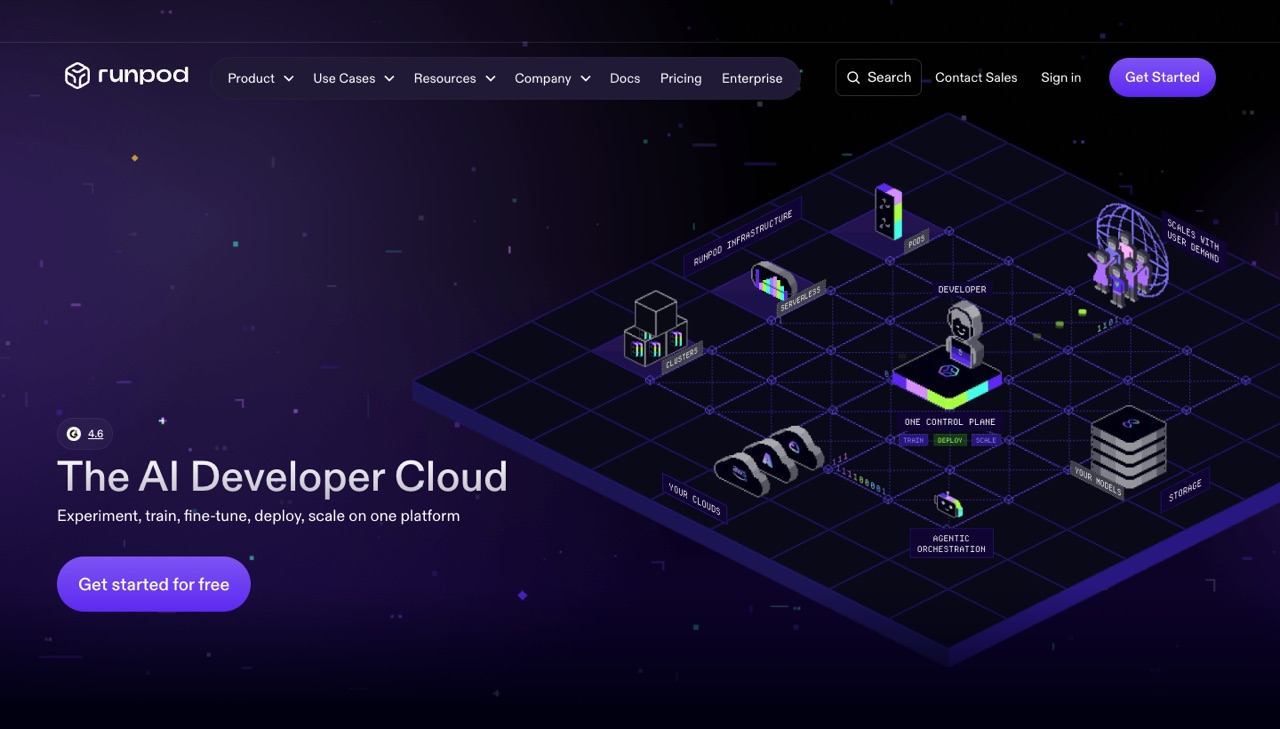
GPU cloud for AI: on-demand GPU Pods in 31 regions, serverless GPU endpoints that scale from zero, multi-node Clusters and a Hub of open-source model templates.
- Layer
- GPU compute
- Starts at
- $0.27/hr, RTX A5000 Pod, pay per hour of use
- Free option
- No free plan or free credit mentioned
What you get:
- On-demand GPU Pods in 31 regions, from RTX A5000 to H200, B200 and B300
- A100 80 GB at $1.79/hr and H100 SXM at $3.99/hr in the Pods table
- Serverless GPU endpoints that scale to zero, from $0.58/hr for 16 GB GPUs
- Multi-node Instant Clusters from $2.15/hr per GPU and a Hub of open-source model templates
The Pods table shows one rate per GPU, which matches the Secure Cloud prices in the FAQ. The FAQ also lists lower Community Cloud starting prices: A100 PCIe from $1.19/hr, A100 SXM from $1.39/hr, H100 PCIe from $1.99/hr and H100 SXM from $2.69/hr. Storage is billed on top, and an idle volume disk costs $0.20/GB a month, double the running rate. Rates change with availability.
Who it's for: ML engineers and AI startups that fine-tune open-source models, run inference endpoints or need a few GPUs for hours or days without a contract.
Skip it if: You only call hosted model APIs such as OpenAI or Anthropic, or you want an AI app without managing containers and endpoints.
Visit RunpodRead the Runpod profile
Source: runpod.io/pricing, checked November 5, 2026
Pinecone: best for vector search and RAG without running servers
Managed vector database for AI search and RAG, with Pinecone Assistant, hosted embedding and reranking models, namespaces and a choice of AWS, Azure or GCP.
- Layer
- Vector database
- Starts at
- Free plan, Builder $20/mo flat; Standard $50/mo minimum plus usage
- Free option
- Starter is free: 2 GB, 2M write and 1M read units a month
What you get:
- Starter (free): 5 indexes, 1 project, 2 users, AWS us-east-1 only
- Builder ($20/mo): up to 10 GB, 5M write and 2M read units a month, AWS, Azure or GCP
- Hosted embedding and reranking models, plus Pinecone Assistant for RAG over your files
- Standard: storage at $0.33/GB a month, $4–$4.50 per million write units and $16–$18 per million read units
Standard and Enterprise are minimum commitments: you pay the minimum ($50 or $500 a month) or your usage, whichever is higher. Standard has a 3-week trial with $300 in credits. Read and write unit rates vary by cloud and region, and HIPAA is a $190/mo add-on on Standard. No yearly price is listed.
Who it's for: Developers adding semantic search, recommendations or retrieval-augmented generation (RAG) to an app who don’t want to run a vector store themselves.
Skip it if: You already run Postgres or another database with vector search that covers your scale, or you need to self-host for data rules.
Visit PineconeRead the Pinecone profile
Source: pinecone.io/pricing, checked November 5, 2026
Netlify: best for hosting and shipping AI-built web apps
Web hosting and deployment platform for modern frameworks with Agent Runners that fix and ship code, an AI Gateway for calling models, deploy previews, functions and databases.
- Layer
- Hosting and deployment
- Starts at
- $9/mo, Personal, 1,000 credits a month; Pro $20/mo at 3,000 credits
- Free option
- Free plan with 300 credits a month as a hard limit
What you get:
- Deploy previews, rollbacks, serverless functions and edge logic on a global CDN
- AI Gateway for calling major models without managing API keys, billed in credits
- Agent Runners: AI agents such as Claude, Codex or Gemini fix and ship code from the dashboard
- Netlify Database and Blobs for data and file storage
One pool of credits pays for everything: a production deploy costs 15 credits, compute 10 credits per GB-hour, bandwidth 20 credits per GB and AI inference varies by model. Pro is priced on the card only at the 3,000-credit tier. Our US check also picked up unlabeled $12, $15 and $25 figures that the plan cards didn’t show, so confirm the price in the dashboard. No yearly price or trial is listed.
Who it's for: Front-end developers and small teams who build sites or AI features with Astro, Next.js or an AI coding tool and want deploys, previews and model calls in one place.
Skip it if: You need long-running GPU workloads, or you want a flat hosting bill instead of credits you have to estimate.
Visit NetlifyRead the Netlify profile
Source: netlify.com/pricing, checked November 5, 2026
Nixtla: best for time-series forecasting with a foundation model
Time-series forecasting platform built on TimeGPT, a foundation model for forecasting and anomaly detection, plus free open-source libraries such as StatsForecast and NeuralForecast.
- Layer
- Forecasting model and libraries
- Starts at
- Custom pricing, Enterprise is quoted; paid TimeGPT API plans arranged with support
- Free option
- Open-source libraries are free; TimeGPT API has free calls (number not stated)
What you get:
- TimeGPT, a pretrained model for forecasting and anomaly detection
- Fine-tuning on your data and external drivers such as prices or holidays
- Six free open-source libraries, including StatsForecast and NeuralForecast
- Self-hosting or Nixtla Cloud, with connectors such as Databricks, Snowflake and Power BI
Nixtla has no pricing page. Its homepage lists a Free Forever tier (the open-source libraries) and Enterprise with a "Request free trial" button but no price. The TimeGPT FAQ says the API returns an error once your free calls run out and paid plans are arranged with support. Its own FAQ also notes that TimeGPT can’t handle irregular timestamps or missing values.
Who it's for: Data teams forecasting demand, sales, traffic or load who work in Python or call an API, and want a model that works without training from scratch.
Skip it if: You need a published price before you start, or a no-code forecasting dashboard rather than an SDK.
Visit NixtlaRead the Nixtla profile
Source: nixtla.io, checked November 5, 2026
TheTop: best for tracking and governing company AI spend
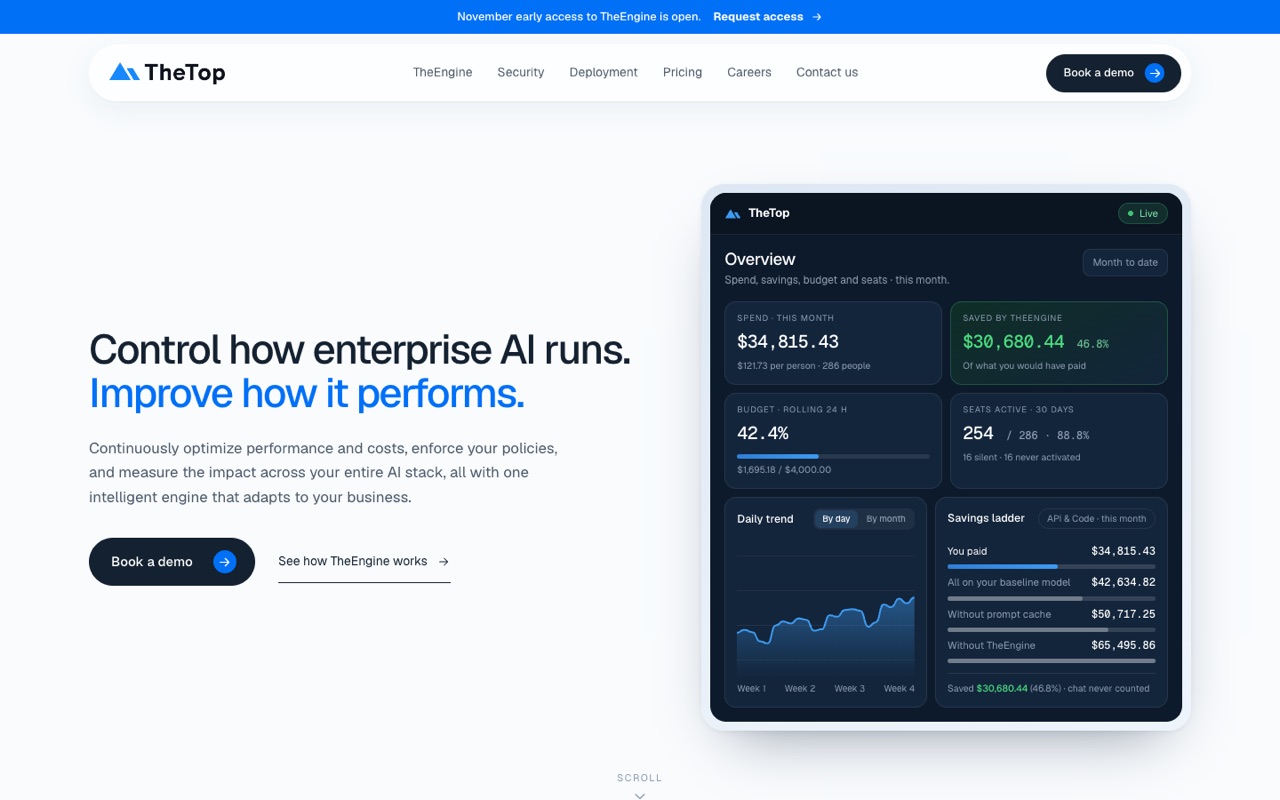
AI cost and governance layer for companies: TheEngine sits in front of your model providers to show spend, enforce AI policy, detect sensitive data and route and cache requests.
- Layer
- AI cost and governance gateway
- Starts at
- $150/mo, Transparency, $150–$500/mo by AI spend
- Free option
- 14-day trial on every offering; no free plan
What you get:
- Transparency: dashboards for AI usage, cost and savings across connected keys, up to 5 logins
- Governance: your AI policy enforced before requests reach a provider, with a kill switch
- Sensitive data detection on requests in stream
- Optimization: memory, caching and model routing to cut model cost
Governance is $0.50 per million tokens checked, falling to $0.15 at high volume, and never more than 10% of AI spend. Optimization is 7% of routed AI spend on the first $50,000 a month, falling to 1.5% above $2M, and the fee is capped at the savings TheTop measures. Buying both together is 15% off. The homepage described access as November early access when we checked.
Who it's for: Companies spending thousands a month on model APIs that need to see who spends what, enforce an AI policy and cut repeat costs.
Skip it if: Your AI bill is small, or you only use one provider and its own usage dashboard is enough.
Visit TheTopRead the TheTop profile
Source: thetop.com/pricing, checked November 5, 2026
How to choose AI infrastructure
Work out which layer you are missing, then match your situation below.
| If you… | Start with | Why |
|---|---|---|
| Fine-tune or self-host an open-source model | Runpod | GPU Pods by the hour with no contract, and serverless endpoints for inference |
| Add search or a chatbot that answers from your documents | Pinecone | Managed vector database with hosted embeddings, reranking and a free plan |
| Ship a web app or AI feature built with an AI coding tool | Netlify | Deploy previews, functions and an AI Gateway, with a free plan |
| Forecast demand, sales or load from time-series data | Nixtla | TimeGPT forecasts without training, plus free open-source libraries |
| Spend heavily on model APIs across many teams | TheTop | Spend visibility, policy enforcement and routing in one layer |
Check these before you pay
- Idle costs. Runpod Pods bill while they run, and an idle volume disk costs $0.20/GB a month. Serverless scales to zero but costs more per active hour.
- Minimums. Pinecone Standard bills at least $50 a month and Enterprise $500, even if your usage is lower.
- Credit maths. Netlify charges credits for deploys, bandwidth and AI calls from one pool. Estimate a month of usage before you pick a tier.
- Unpublished prices. Nixtla's paid API and Enterprise plans are quoted, and TheTop doesn't list the bands between $150 and $500.
- Data rules. Check region, HIPAA and compliance options: Pinecone's Starter runs only in AWS us-east-1, and HIPAA is a paid add-on on Standard.
Our suggestions are based on published plans and docs, not hands-on tests. Start on a free plan or trial, and set spending alerts before you scale. For the agents and workflows you might build on top of this stack, see our best AI automation tools guide; for no-code sites, see best AI website builders.
FAQ
What are AI infrastructure tools?
AI infrastructure tools are the services an AI product runs on: GPU cloud to train and serve models, vector databases that store embeddings for search and RAG, hosting platforms that deploy the app, model APIs, and gateways that track and control model spend. Most charge by usage, such as GPU hours, read units or tokens.
What is the cheapest way to rent a GPU for AI?
Among the tools we compared, Runpod has the lowest listed rate: an RTX A5000 Pod at $0.27 an hour on November 5, 2026. For bigger models, an A100 80 GB Pod was $1.79 an hour, with Community Cloud prices from $1.19. Serverless endpoints cost more per hour but scale to zero when idle.
How much does an H100 cost per hour on Runpod?
On November 5, 2026 the Runpod pricing page listed H100 SXM Pods at $3.99 an hour and H100 PCIe at $2.89, with Community Cloud prices from $2.69 and $1.99. A serverless H100 worker was $5.39 an hour. Rates change with availability, so check before you launch.
Do I need a vector database for RAG?
You need somewhere to store embeddings and search them by similarity. A managed vector database such as Pinecone does that without servers, and its Starter plan is free for up to 2 GB. If your app already uses a database with vector search and the data is small, that can be enough.
Is Pinecone free?
Yes, Pinecone Starter is free with up to 2 GB of storage, 2 million write units and 1 million read units a month, limited to AWS us-east-1. Builder is a flat $20 a month for up to 10 GB, and Standard has a $50 monthly minimum plus usage, with a 3-week trial and $300 in credits.
Can Netlify host AI apps?
Netlify hosts the web side of an AI app: front end, serverless functions and edge logic. Its AI Gateway lets your code call major AI models without managing API keys, billed in Netlify credits. It doesn’t rent GPUs, so models you run yourself need a GPU cloud such as Runpod.
How can a company control its AI API costs?
Start by seeing spend per team and key, then set rules and cut repeat work. TheTop puts a layer in front of model providers that shows spend, enforces an AI policy, and routes and caches requests. Its Optimization fee is 7% of routed spend on the first $50,000 a month, capped at measured savings.
Why aren’t AWS, Vercel or Lambda on this list?
This list only covers tools we have profiled from their official pricing and product pages. We haven’t done that yet for AWS, Google Cloud, Vercel, Lambda or other vector databases. We’ll add them once we’ve checked their plans, so treat this as a starting shortlist rather than a full market map.
Sources
Pricing pages and Nixtla's homepage checked November 5, 2026. Feature details from each tool's official homepage, product pages and docs, checked November 5, 2026 (linked from each profile).
- www.runpod.io/pricing
- www.pinecone.io/pricing/
- www.netlify.com/pricing/
- www.nixtla.io/
- www.thetop.com/pricing
See every tool in AI Dev & Infrastructure.