Best AI Presentation Tools (2026): 4 Picks for Drafts, Brand Decks, Live Talks and Timelines
This page has no affiliate links right now: every link goes straight to the vendor. If that changes, we'll say so here. How we make money.
AI presentation tools build slides from a prompt, an outline or a file, and take care of layout, so you spend your time on the message instead of the design.
The best AI presentation tool depends on what you present: a quick first draft, a team deck that must stay on brand, a live talk with audience polls, or a project timeline. Below we compare four tools by that job, with what each plan includes, what it costs and who should skip it.
The short answer
For a fast AI first draft with a free plan, start with Gamma. For on-brand team decks, pick Beautiful.ai ($14.50/mo yearly). For interactive talks and classes, use Prezi (free Basic plan). For Gantt charts in PowerPoint, choose Office Timeline (free version; $9/user/mo).
Quick picks
| Tool | Type | Best for | Starts at | Free option |
|---|---|---|---|---|
 Gamma Gamma | AI deck, doc and web page maker | Turning a prompt or notes into a first draft fast | Free plan paid plans are per user; we couldn’t read US prices | Free plan with 400 one-time AI credits |
 Beautiful.ai Beautiful.ai | AI presentation maker with Smart Slides | Consistent, on-brand decks for a team | $14.50/mo Pro, 1 user, billed yearly ($45 month to month) | 14-day trial (card required); no free plan |
 Prezi Prezi | Presentation maker with live audience tools | Interactive talks, classes and webinars | Free Basic plan paid plans are billed yearly; we couldn’t read US prices | Free Basic plan; 14-day trial of paid plans |
 Office Timeline Office Timeline | PowerPoint add-in (now Lucen Timeline) | Project timelines and Gantt charts in PowerPoint | $9/user/mo Lite, 1-year license billed yearly ($108 a year) | Free version; 30-day money-back guarantee |
List prices in US dollars before tax, checked October 29–30, 2026. Gamma and Prezi didn’t show US prices to our check.
Free plans, exports and billing at a glance
Two questions decide most choices: can you start free, and can you get your deck into PowerPoint or Google Slides when you're done?
| Tool | Free plan | PowerPoint | How paid plans bill |
|---|---|---|---|
| Gamma | Yes, 400 one-time AI credits | Import and export PPTX on every plan; also Google Slides export | Per user; yearly is 28% cheaper; Ultra monthly only |
| Beautiful.ai | No; 14-day trial with card | Import and export | Pro $14.50/mo yearly or $45 monthly; Team $40/user/mo yearly or $50 monthly |
| Prezi | Yes, Basic, but content is public | Imports PowerPoint; PDF export from Plus | Individual plans yearly; Teams through sales |
| Office Timeline | Yes, Free version for simple timelines | Builds native PowerPoint slides | 1-year license per user: $108, $204 or $252 a year |
What it costs for 1 person and for a team of 5
Here is the cheapest paid plan for the two tools with readable US prices, worked out from the list prices above.
| Tool | Just you | Team of 5 | Watch out for |
|---|---|---|---|
| Beautiful.ai | $14.50/mo yearly ($174 a year) or $45 month to month | $200/mo yearly or $250/mo monthly (Team) | Team card also mentions fixed pricing for up to 3 users |
| Office Timeline | $0 (Free) or $9/mo, $108 a year (Lite) | $45/mo Lite, or $85/mo Plus for imports and dependencies | Yearly licenses only; no monthly price listed |
Seats × list price per month, before tax. Gamma bills every workspace member as a separate subscription, so a team of 5 pays 5 times the per-user price.
How we chose
We compared the AI presentation tools listed on AI Tools For Me and read each one's official pricing page, help center or product page on October 29–30, 2026. We haven't tested these tools hands-on yet, so we can't tell you which one makes the best-looking slides; we tell you what each plan includes, who it suits and what you pay.
This is a short list on purpose. We only include tools we have checked on the vendor's own site, and we only print prices we could read for US buyers. We'll add more AI presentation makers as we verify them.
Gamma: best for turning a prompt or notes into a first draft fast
AI design tool that turns a prompt, outline or file into presentations, documents, websites and social posts, with export to PowerPoint, PDF, PNG and Google Slides.
- Type
- AI deck, doc and web page maker
- Starts at
- Free plan, paid plans are per user; we couldn’t read US prices
- Free option
- Free plan with 400 one-time AI credits
What you get:
- Generate a deck from a prompt, a pasted outline or an imported PDF or PPTX file
- Export to PowerPoint (PPTX), PDF, PNG and Google Slides, even on the free plan
- The same editor also makes documents, simple websites and social posts
- Paid Plus, Pro and Ultra plans add 1,500, 4,000 and 20,000 AI credits a month
Gamma’s help center says subscriptions are per user, yearly billing is 28% cheaper with the same monthly credits, and Ultra is monthly billing only. The free plan has a “Made with Gamma” badge; Plus removes it. Gamma’s pricing page showed no dollar figures to our US-based check, and on October 30 its page text listed only Free, Plus and Pro with different limits than the help center. Confirm the plan and price at checkout.
Who it's for: Founders, marketers, teachers and consultants who start from an idea or rough notes and want a good-looking draft in minutes, then export it to PowerPoint or Google Slides.
Skip it if: You need to build every slide by hand to a strict corporate template inside PowerPoint, or you want to see a fixed price before you sign up.
Visit GammaRead the Gamma profile
Source: gamma.app/pricing, help.gamma.app/en/articles/8077107-gamma-pricing, gamma.app, checked October 30, 2026
Beautiful.ai: best for consistent, on-brand decks for a team
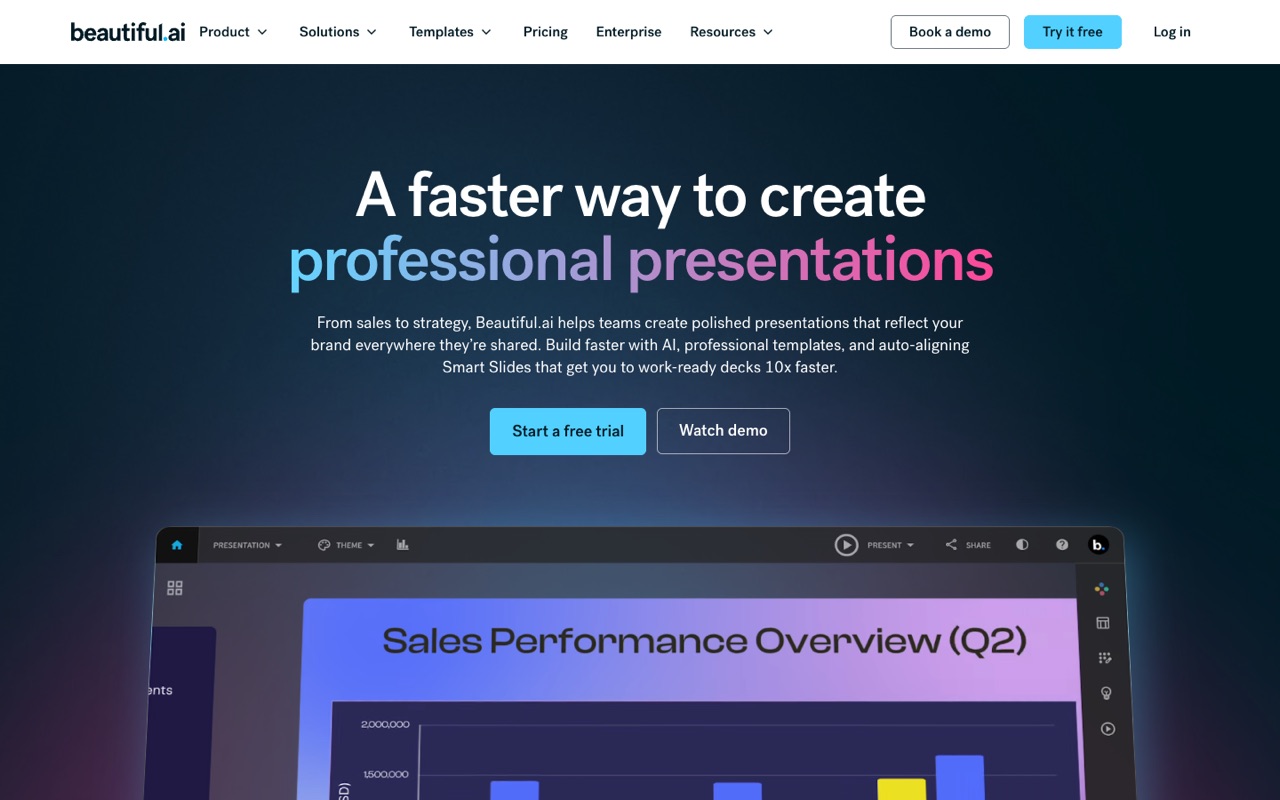
AI presentation maker with 300+ Smart Slide layouts that adjust as you add content, plus team themes, shared slide libraries, PowerPoint import/export and viewer analytics.
- Type
- AI presentation maker with Smart Slides
- Starts at
- $14.50/mo, Pro, 1 user, billed yearly ($45 month to month)
- Free option
- 14-day trial (card required); no free plan
What you get:
- 300+ Smart Slide layouts that realign and resize as you type
- Create with AI from an outline, plus AI images, a writing assistant and translation
- PowerPoint import and export to PPTX or PDF
- Custom brand styling and viewer analytics
Team is $40 per user a month billed yearly or $50 monthly, for 2 to 20 seats, and adds shared slide, template and asset libraries, locked slides, version control and live data linking. The same Team card also says “Fixed pricing for up to three users,” so confirm seat terms at checkout. Enterprise is custom-priced. The 14-day trial bills automatically unless you cancel first. Students with a .edu email get a free year.
Who it's for: Sales, marketing and agency teams that make many decks and want every one to look the same, with shared slides and locked brand themes.
Skip it if: You want a free plan, or you only make a deck now and then: month-to-month Pro is $45.
Visit Beautiful.aiRead the Beautiful.ai profile
Source: beautiful.ai/pricing, beautiful.ai, checked October 30, 2026
Prezi: best for interactive talks, classes and webinars
Presentation maker whose AI drafts a deck from one sentence, with live polls, quizzes and Q&A joined by QR code, video presenting and imports from PowerPoint, Google Slides and Canva.
- Type
- Presentation maker with live audience tools
- Starts at
- Free Basic plan, paid plans are billed yearly; we couldn’t read US prices
- Free option
- Free Basic plan; 14-day trial of paid plans
What you get:
- Prezi AI drafts a presentation from one sentence
- Live polls, quizzes, Q&A and word clouds that the audience joins by QR code
- Import from PowerPoint, Google Slides, Canva, PDF or Word
- Basic includes 500 AI credits, but your content is public
Standard, Plus and Premium are paid individual plans billed yearly. Plus adds unlimited AI presentations and images, no watermark, video presentations and PDF export; Premium adds presentation analytics. Teams plans are set up through Prezi’s sales team. On October 29 the pricing page showed no prices to our US-based check, and on October 30 it returned no readable text, so we don’t list a figure.
Who it's for: Teachers, trainers and speakers who want the audience to take part, with polls and quizzes inside the presentation.
Skip it if: Your content must stay private on a free plan (Basic is public only), or you need a standard slide deck to hand to a client in PowerPoint.
Visit PreziRead the Prezi profile
Source: prezi.com/pricing, prezi.com, checked October 29, 2026
Office Timeline: best for project timelines and Gantt charts in PowerPoint
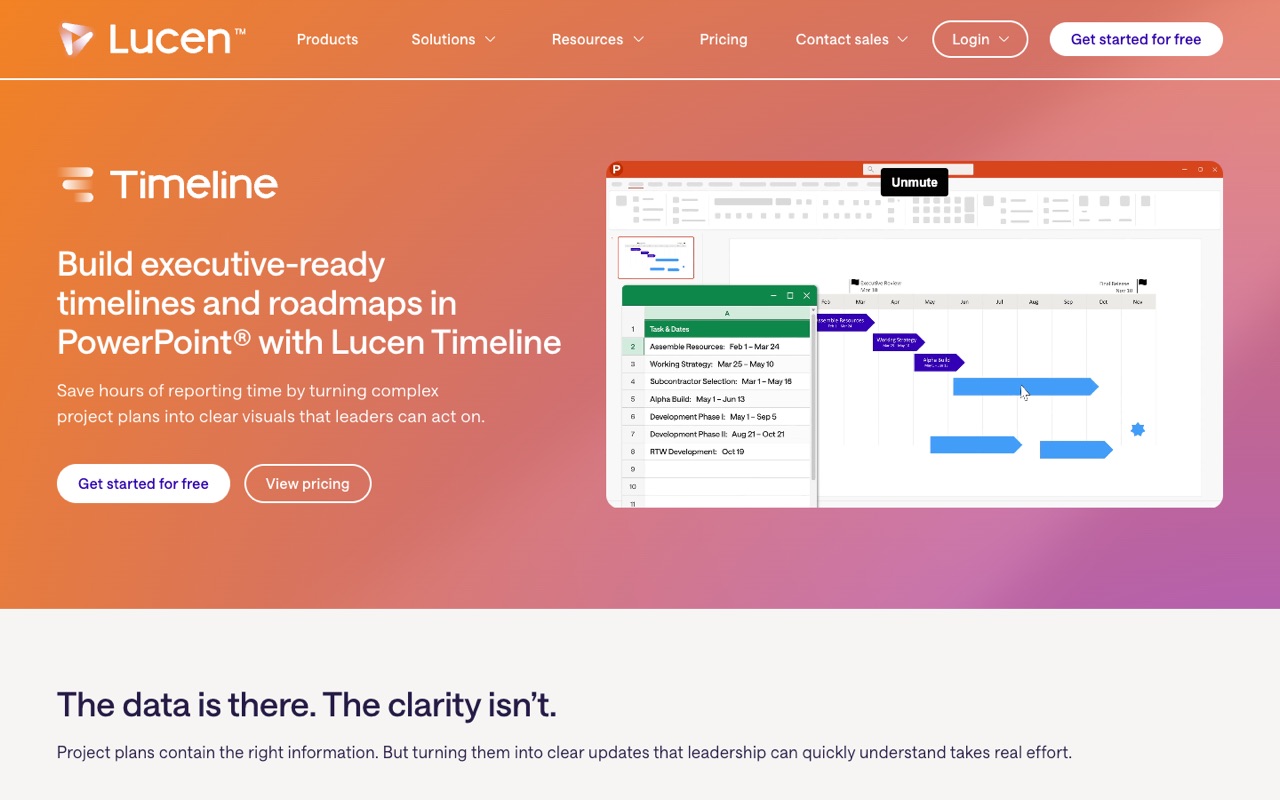
PowerPoint add-in, now sold as Lucen Timeline, that builds Gantt charts and project timelines as native slides, with Excel, MS Project, Smartsheet and Jira imports and a browser version.
- Type
- PowerPoint add-in (now Lucen Timeline)
- Starts at
- $9/user/mo, Lite, 1-year license billed yearly ($108 a year)
- Free option
- Free version; 30-day money-back guarantee
What you get:
- Timelines and Gantt charts built as native PowerPoint slides
- 2 swimlanes and more templates and styling than the Free version
- 1 timeline scale
Plus is $17 and Expert $21 per user a month, both billed yearly. Plus adds unlimited swimlanes, dependencies, the critical path and imports from Excel, Microsoft Project, Smartsheet and Jira; Expert adds planned vs. actual tracking. No monthly-billing price is listed. Office Timeline is now sold as Timeline by Lucen Software. Timeline Online, the browser version for any operating system, has a Free plan and a Premium plan listed at “less than $13/month” billed yearly.
Who it's for: Project managers and consultants who report status in PowerPoint and want timelines that update when the plan changes, instead of redrawing shapes.
Skip it if: You want AI to write a whole deck for you. Office Timeline makes timelines and Gantt slides, not full presentations.
Visit Office TimelineRead the Office Timeline profile
Source: lucensoftware.com/pricing/timeline, lucensoftware.com/products/timeline, lucensoftware.com/products/timeline-online, checked October 30, 2026
How to choose an AI presentation tool
Start with what you present and where the deck has to end up. Then match your situation below.
| If you… | Start with | Why |
|---|---|---|
| Have an idea or rough notes and need a deck today | Gamma | Drafts a full deck from a prompt or outline, free to start, exports to PowerPoint and Google Slides |
| Make many decks that must look the same | Beautiful.ai | Smart Slide layouts, brand themes and shared slide libraries for teams |
| Teach, train or speak and want the audience involved | Prezi | Live polls, quizzes and Q&A joined by QR code, with no app for the audience |
| Report project plans in PowerPoint | Office Timeline | Native timeline and Gantt slides, with imports from Excel, MS Project, Smartsheet and Jira on Plus |
Check these before you pay
- Where the deck must end up. If clients expect a PowerPoint file, check export first. Gamma exports PPTX on every plan; Prezi lists PDF export from Plus.
- Privacy on free plans. Prezi Basic content is public. Don't put client or company data in it.
- Per-user billing. Gamma and Beautiful.ai Team charge for every member, and Office Timeline licenses are per user.
- Trials that auto-bill. Beautiful.ai's 14-day trial needs a card and charges you unless you cancel first.
- AI credits. Gamma and Prezi meter AI use with credits. Gamma's free credits are one-time and don't refresh.
Need help writing the words on your slides? See our best AI writing tools guide. For planning the project behind your timeline, see best AI productivity tools. Our suggestions are based on published plans, not hands-on tests, so use the free plan or trial on one real deck before you commit.
FAQ
What is an AI presentation tool?
An AI presentation tool builds slides for you from a prompt, an outline or a document, and handles layout and design so you spend less time moving boxes around. Some, like Gamma and Prezi, draft the whole deck. Others, like Beautiful.ai, keep every slide on a consistent design as you edit. Office Timeline is narrower: it builds timeline and Gantt slides in PowerPoint.
Is there a free AI presentation maker?
Yes. On October 30, 2026, Gamma had a free plan with 400 one-time AI credits and export to PowerPoint, PDF and Google Slides. Prezi had a free Basic plan with 500 AI credits, but Basic presentations are public. Office Timeline has a free version for simple timelines. Beautiful.ai has no free plan, only a 14-day trial that needs a card.
Can AI presentation makers export to PowerPoint?
Gamma exports to PPTX, PDF, PNG and Google Slides on every plan, including Free. Beautiful.ai imports and exports PowerPoint files. Office Timeline builds native PowerPoint slides. Prezi imports PowerPoint, Google Slides and Canva files; its pricing page lists download and PDF export from the Plus plan.
Gamma or Beautiful.ai: which should I choose?
Choose Gamma if you want AI to turn a prompt or notes into a full first draft, and you like having a free plan to start. Choose Beautiful.ai if your team makes many decks and needs them to look the same, with shared slide libraries and locked brand themes. Beautiful.ai shows clear prices (Pro $14.50/mo billed yearly); Gamma’s US prices weren’t readable on the day we checked.
What is the best tool for timelines and Gantt charts in PowerPoint?
Of the tools we compared, Office Timeline (now Lucen Timeline) is the one built for this. It makes timeline and Gantt slides inside PowerPoint and, from the Plus plan ($17/user/mo billed yearly), imports plans from Excel, Microsoft Project, Smartsheet and Jira. A free version covers simple timelines. For managing the project itself, see our best AI productivity tools guide.
Is Prezi free?
Prezi has a free Basic plan with 500 AI credits, essential creation tools and 2 collaborators, but everything you make on Basic is public. Private content, more AI and exports need a paid plan, billed yearly, with a 14-day trial.
Why don’t you list prices for Gamma and Prezi?
Both pricing pages load prices by location. When we checked from the US on October 29 and 30, 2026, neither page showed dollar figures, and a browser check from Vietnam showed regional prices that would mislead US readers. We only print prices we can read for US buyers, so check the vendor’s page for your local price.
Will AI make my whole presentation for me?
It can make a solid first draft: structure, slide text, layout and images. You still need to check facts, add your own numbers and examples, and cut what doesn’t fit your audience. Treat the AI draft as a starting point, not the final deck.
Sources
Pages checked October 29–30, 2026; each tool's section gives its date.
- gamma.app/pricing
- help.gamma.app/en/articles/8077107-gamma-pricing
- gamma.app/
- www.beautiful.ai/pricing
- www.beautiful.ai/
- prezi.com/pricing/
- prezi.com/
- www.lucensoftware.com/pricing/timeline
- www.lucensoftware.com/products/timeline
- www.lucensoftware.com/products/timeline-online
See every tool in AI Presentations.