
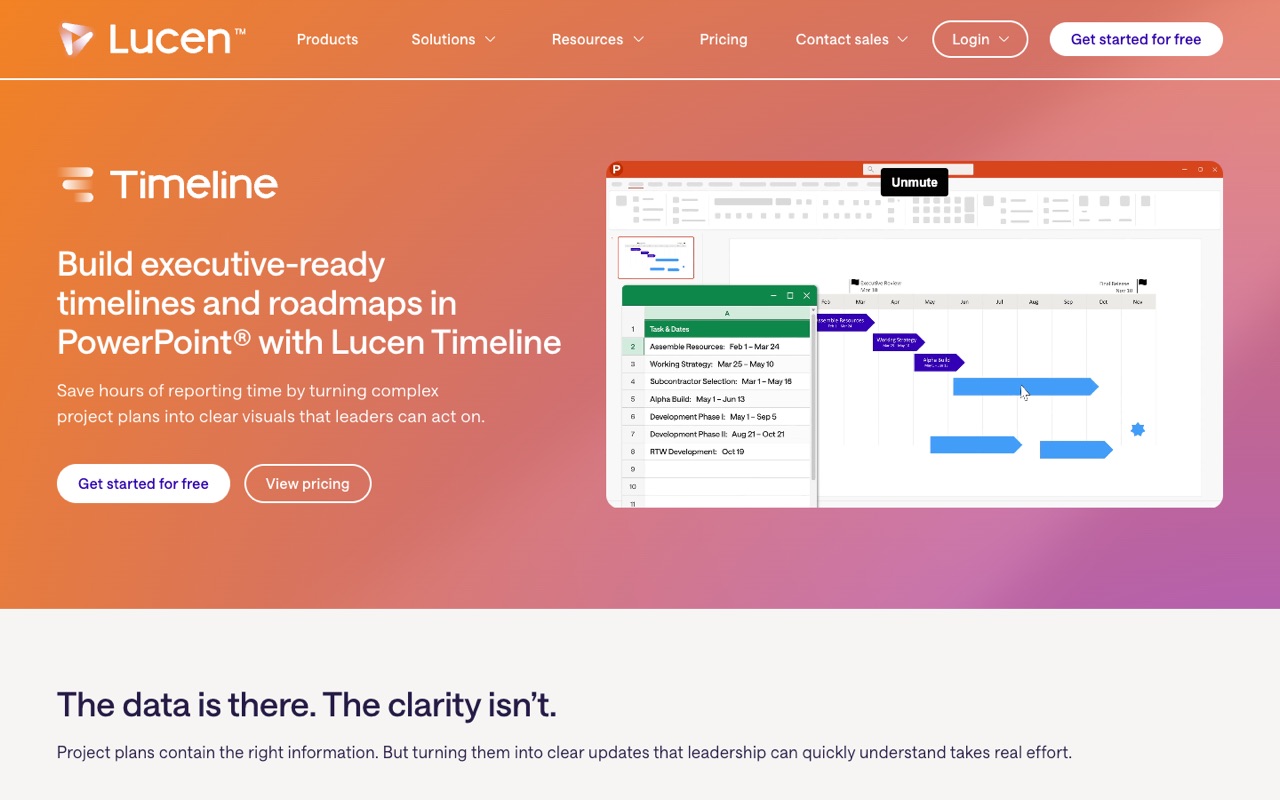
What does Office Timeline do?
Office Timeline, now sold as Timeline by Lucen Software, is a PowerPoint add-in that builds Gantt charts and project timelines as native slides, with imports from Excel, Microsoft Project, Smartsheet and Jira. A free version exists; Lite is $9/user/mo on a yearly license. It suits project managers who report in PowerPoint; skip it if your team doesn't use PowerPoint.
- Timelines and Gantt charts in PowerPoint. Builds timelines and Gantt charts as native PowerPoint slides from inside the add-in.
- Swimlanes. Group tasks into swimlanes: 2 on Lite, unlimited swimlanes and sub-swimlanes from Plus.
- Dependencies and critical path. Show task dependencies and the critical path on Plus and Expert.
- Imports from project tools. Import from Excel, Microsoft Project, Smartsheet and Jira on Plus; Expert adds Wrike.
- Sync and refresh. Refresh timelines as plans change instead of rebuilding slides by hand.
- Planned vs. actual tracking. Expert compares planned and actual dates and tracks variance.
- Timeline Online. A browser version for Windows, Mac or any OS, with role-based sharing, Google Sheets import and embeds in Google Docs and Slides.
- Native PowerPoint export from the browser. Timeline Online exports a native PowerPoint slide anyone can open and present; watermark-free exports need Premium.
Who is Office Timeline for?
Office Timeline is a good fit if you're a team lead, and you need help making presentations or planning my day and projects.
How much does Office Timeline cost?
Office Timeline starts at $9/user/mo. It also has a free plan. Its pricing page lists a free trial. We checked this on Oct 29, 2026 on the official pricing page.
- Starts at
- $9/user/mo
- Free plan
- Yes
- Free trial
- Free version; 30-day money-back guarantee on paid plans
Lite, as a 1-year license billed annually. Plus is $17 and Expert $21 per user/mo, also billed annually; the Free version covers simple timelines. Timeline Online Premium is listed at 'less than $13/month' billed annually. Office Timeline is now Timeline by Lucen Software. Checked Oct 29, 2026.
Office Timeline plans compared
| Plan | Billed monthly | Billed yearly | What you get |
|---|---|---|---|
| Free | $0 | $0 | Simple timelines; swimlanes limited to 10 milestones or tasks per slide; 1 timeline scale |
| Lite | Not listed | $9/user/mo | 1-year license; more templates and styling control, 2 swimlanes, 1 timeline scale |
| Plus | Not listed | $17/user/mo | 1-year license; unlimited swimlanes and sub-swimlanes, dependencies and critical path, 3 timeline scales, Excel, Microsoft Project, Smartsheet and Jira import |
| Expert | Not listed | $21/user/mo | 1-year license; everything in Plus, planned vs. actual and variance tracking, advanced templates, Wrike import |
| Timeline Online Premium | Custom | Custom | Browser version; listed at 'less than $13/month' on a 1-year license; unlimited collaboration, integrations, watermark-free exports, full template gallery, priority support (a Free online plan also exists) |
Prices read on Oct 29, 2026 from a US connection (officetimeline.com now redirects to lucensoftware.com), shown with a $ sign. The add-in's paid plans are 1-year licenses billed annually per user, so $108, $204 and $252 a year for Lite, Plus and Expert; no monthly-billing price is listed. Paid plans carry a 30-day money-back guarantee. There's no time-limited trial, but the Free version can be downloaded. Timeline Online, the browser version for Mac users and anyone without PowerPoint, has its own Free and Premium plans; Premium is described only as 'less than $13/month', so we don't list an exact figure.
Checked Oct 29, 2026 on Office Timeline's pricing page. Prices change often, so confirm before you buy.
Office Timeline pros and cons
What stands out
- Free version you can download, with no time limit
- Output is native PowerPoint slides that anyone can open and present
- Imports from Excel, Microsoft Project, Smartsheet and Jira (Plus and up)
- 30-day money-back guarantee on paid plans
- Browser version for Mac users and teams without PowerPoint
Watch out for
- Paid plans are yearly licenses only; no monthly billing is listed
- The pages we checked don't mention AI features
- Swimlanes are capped on Free and Lite
- Dependencies, critical path and project-tool imports need Plus
- Timeline Online Premium has no exact published price ('less than $13/month')
Based on Office Timeline's own pages, not hands-on testing.
What are the alternatives to Office Timeline?
We list 3 other AI Presentations tools: Beautiful.ai, Gamma, Prezi. Each one below shows its starting price and when you might pick it instead.
 Beautiful.ai · From $14.50/mo
Choose Beautiful.ai if you'd like a second option to compare for making presentations.
 Gamma · Price not checked
Choose Gamma if you'd like a second option to compare for making presentations.
 Prezi · Price not checked
Choose Prezi if you'd like a second option to compare for making presentations.
Compared in
Office Timeline FAQ
How much does Office Timeline cost?
The PowerPoint add-in is free for simple timelines. Lite is $9, Plus $17 and Expert $21 per user/mo, each as a 1-year license billed annually ($108, $204 and $252 a year). US prices, checked Oct 29, 2026.
Is Office Timeline free?
Yes. The Free version builds simple timelines, with swimlanes limited to 10 milestones or tasks per slide and 1 timeline scale.
Is Office Timeline the same as Lucen Timeline?
Yes. Office Timeline has been renamed Timeline, and the company behind it is now Lucen Software; officetimeline.com redirects to lucensoftware.com.
Does Office Timeline work on a Mac?
Lucen points Mac users, and anyone not using PowerPoint, to Timeline Online, the browser version that works on Windows, Mac or any OS.
Can Office Timeline import from Microsoft Project or Jira?
Yes. Plus and Expert import from Excel, Microsoft Project, Smartsheet and Jira, and Expert adds Wrike. Timeline Online also imports from Google Sheets.
Can I pay for Office Timeline monthly?
The pricing page lists only 1-year licenses billed annually for the paid add-in plans.
Does Office Timeline offer refunds?
Yes. Paid plans include a 30-day money-back guarantee after purchase.
Does Office Timeline use AI?
The product and pricing pages we checked on Oct 29, 2026 don't mention AI features; it focuses on building and refreshing timelines from your project data.
Sources and how we checked
- Official pricing page, checked Oct 29, 2026
- Official website
- Lucen Timeline product page (checked Oct 29, 2026), checked Oct 29, 2026
- Lucen Timeline Online (checked Oct 29, 2026), checked Oct 29, 2026