Best AI Video Editors (2026): Descript, OpusClip, invideo AI and Runway Compared
This page has no affiliate links right now: every link goes straight to the vendor. If that changes, we'll say so here. How we make money.
An AI video editor uses AI to do the slow parts of editing for you: cutting by transcript, removing filler words, finding clips worth posting, adding captions or changing what's inside a shot.
"AI video editor" covers very different tools, so this guide sorts the four we've checked by editing job rather than ranking them on one list. For each one we show the price, what the free plan really gives you, the limits of the cheapest paid plan and the cost of year one, all read from the vendor's own pages on November 20, 2026.
The short answer
The best AI video editor depends on your footage. Descript ($16/mo billed yearly) suits talking-head videos and podcasts you edit by transcript. OpusClip ($15/mo) turns long videos into shorts. invideo AI ($10/mo per seat yearly) builds and edits videos from prompts. Runway ($12/mo yearly) edits what's inside a shot.
Quick picks by editing job
| Tool | Best for | Starts at | Cheapest paid plan includes | Free plan |
|---|---|---|---|---|
 Descript | Editing talking-head videos and podcasts by transcript | $16/mo billed yearly ($24/mo billed monthly) | 10 media hours and 400 AI credits a month; 1080p export without a watermark | 60 media minutes a month and 100 one-time AI credits; 720p export with a watermark |
 OpusClip | Turning long videos into short clips | $15/mo billed monthly ($15/mo (Starter is monthly only)) | 150 credits a month on Starter, no watermark | 60 credits a month; clips up to 1080p with a watermark, and clips can’t be exported after 3 days |
 invideo AI | Building a video from a prompt or script, then editing with text commands | $10/mo per seat billed yearly ($20/mo per seat billed monthly) | 400 credits per seat a month; Agent Two Lite only | No free plan listed on the pricing page |
 Runway | Changing what’s in the shot: objects, lighting and backdrops | $12/mo billed yearly ($15/mo billed monthly) | 625 credits a month, no watermarks, 4K upscaling | 125 one-time credits and 5GB storage; Aleph 2.0 is listed on paid plans only |
List prices in US dollars before tax, checked November 20, 2026. Vendors often run seasonal discounts; we show regular prices.
What year one costs
Monthly prices hide how much yearly billing saves, and OpusClip's cheapest plan is monthly only. This table shows the lowest way to pay for 12 months of each tool's entry plan for one person.
| Tool | Plan and billing | Year one | Paying monthly instead |
|---|---|---|---|
| invideo AI | Starter, yearly, 1 seat | $120 | $240 ($20 × 12) |
| Runway | Standard, yearly | $144 | $180 ($15 × 12) |
| OpusClip | Pro, yearly (2 seats) | $174 | $180 on Starter ($15 × 12) or $348 on Pro ($29 × 12) |
| Descript | Hobbyist, yearly | $192 | $288 ($24 × 12) |
The cheapest bill isn't always the cheapest tool for you. Each plan counts usage differently: Descript in media hours and AI credits, OpusClip and invideo AI in credits, Runway in credits per second of generated or edited video. Runway Standard's 625 credits a month cover about four 5-second Aleph 2.0 edits at the listed rate of 140 credits per 5 seconds, so heavy shot editing needs Pro or Max.
Free AI video editors: what you actually get
Three of the four have a free way in, but none of the free plans is meant for publishing. Use them to try the workflow on one real video.
| Tool | Free allowance | Watermark on free? | Main catch |
|---|---|---|---|
| Descript | 60 media minutes a month, 100 AI credits once | Yes, and export is 720p | AI credits don’t renew |
| OpusClip | 60 credits a month | Yes | Clips can’t be exported after 3 days |
| Runway | 125 credits once | Paid plans list no watermarks; our Oct 24 check showed a watermark on Free | Aleph 2.0 editing is listed on paid plans only |
| invideo AI | No free plan listed | — | Cheapest paid plan is $10/mo per seat billed yearly |
If you need watermark-free exports, the cheapest paid options on November 20, 2026 were Runway Standard at $12/mo billed yearly, OpusClip Starter at $15/mo and Descript Hobbyist at $16/mo billed yearly.
How we chose
We included AI video editors that have full profiles on this site, self-serve plans and published US prices, and grouped them by the editing job each one is built around. We read every pricing page on November 20, 2026 from a US server, plus Runway's product page and its Aleph 2.0 announcement (May 21, 2026). We haven't tested these tools hands-on, so we don't rank output quality; we tell you who each one suits and what you get for the money. Popular editors we haven't profiled yet, such as CapCut and VEED, aren't covered here.
Descript: best for editing talking-head videos and podcasts by transcript

Audio and video editor you edit like a doc, with AI voice clones, Studio Sound clean-up and an AI co-editor called Underlord.
- Starts at
- $16/mo billed yearly ($24/mo billed monthly)
- Cheapest paid plan
- 10 media hours and 400 AI credits a month; 1080p export without a watermark
- Free option
- 60 media minutes a month and 100 one-time AI credits; 720p export with a watermark
What you get for editing:
- Text-based editing: delete words in the transcript and the video is cut to match
- Underlord, an AI co-editor you chat with, plus Studio Sound and filler word removal
- Create Clips for turning a recording into short clips
- AI speech with custom voice clones, 1080p export without a watermark
Creator ($24/mo yearly, $35 monthly) adds 30 media hours, 800 AI credits and 4K export; Business ($50/mo yearly, $65 monthly) has 40 media hours and 1,500 AI credits. Media minutes count everything you upload or record, and unused minutes and credits don’t roll over. Descript publishes no full price list for AI credits per action.
Who it's for: YouTubers, podcasters and course creators who record themselves talking and want to cut mistakes, remove filler words and clean up sound without learning a timeline editor.
Skip it if: Your raw material is gameplay, b-roll or music videos with little speech. Transcript editing helps most when people are talking.
Visit DescriptRead the Descript profile
Source: descript.com/pricing, checked November 20, 2026
OpusClip: best for turning long videos into short clips
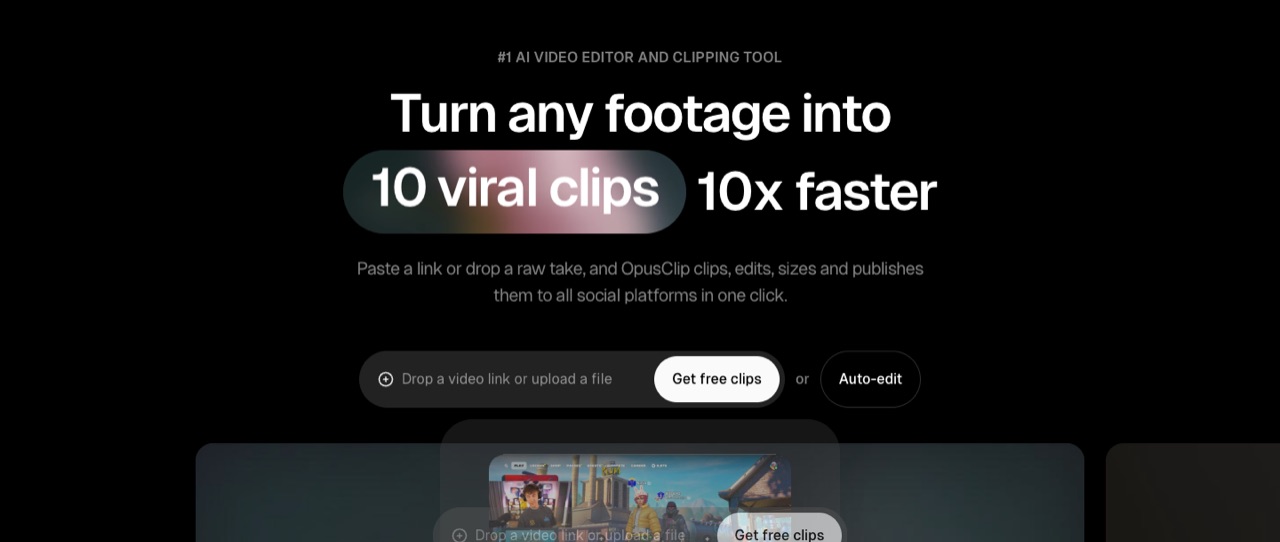
AI clipping tool that turns long videos into short clips for TikTok, YouTube Shorts and Reels, with a virality score, auto reframe, animated captions, B-roll and a scheduler.
- Starts at
- $15/mo billed monthly ($15/mo (Starter is monthly only))
- Cheapest paid plan
- 150 credits a month on Starter, no watermark
- Free option
- 60 credits a month; clips up to 1080p with a watermark, and clips can’t be exported after 3 days
What you get for editing:
- AI clipping that finds highlight moments in a long video
- A virality score for each clip
- AI reframe to 9:16 and animated captions
- An editor with filler and silence removal, and auto-posting to YouTube Shorts, TikTok and Reels
Pro is $29/mo billed monthly or $14.50/mo billed yearly ($174 a year) for 3,600 credits over 12 months and 2 seats; it adds 1:1 and 16:9 layouts, AI B-roll, export to Premiere Pro and DaVinci Resolve, a scheduler and video dubbing. The year-one figure in our table uses Pro yearly, which is cheaper over 12 months than Starter ($180).
Who it's for: Podcasters, streamers, coaches and webinar hosts who already have hours of footage and want a steady supply of shorts from it.
Skip it if: You need to edit one long video carefully from start to finish. OpusClip repurposes footage into clips; it isn’t built as a full editor for long videos.
Visit OpusClipRead the OpusClip profile
Source: opus.pro/pricing, checked November 20, 2026
invideo AI: best for building a video from a prompt or script, then editing with text commands
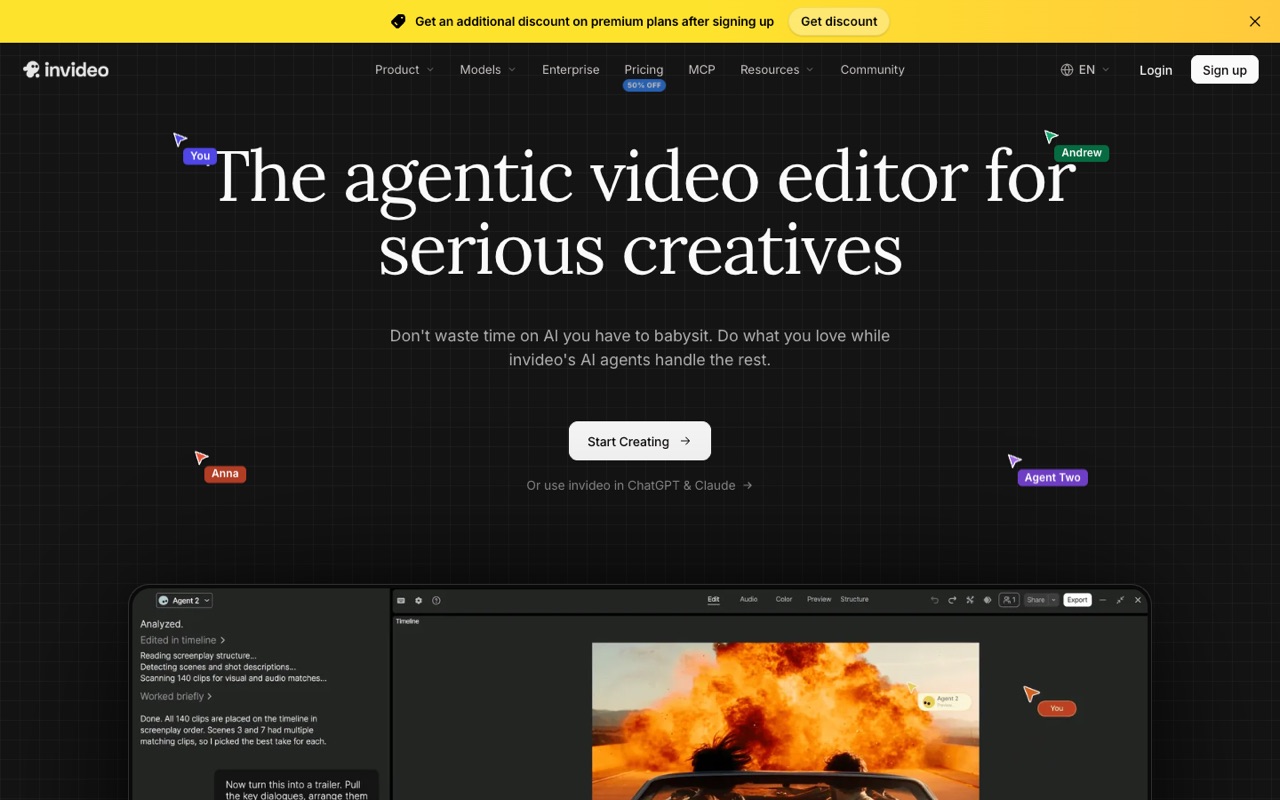
Agent-led AI video editor with a timeline, multiplayer editing and third-party video, image and audio models such as Seedance, Kling, Veo and ElevenLabs on one credit balance.
- Starts at
- $10/mo per seat billed yearly ($20/mo per seat billed monthly)
- Cheapest paid plan
- 400 credits per seat a month; Agent Two Lite only
- Free option
- No free plan listed on the pricing page
What you get for editing:
- Agent Two, an AI agent that works on your timeline (Lite tier on Starter)
- A full timeline editor on every plan
- Multiplayer editing for up to 5 seats on Starter
- Third-party video, image and audio models on one credit balance, plus 100 premium stock clips
Credits pay for generations, not downloads, and unused credits don’t roll over. Starter can’t use Seedance 2.5 or the Pro and Ultra agent tiers. On November 20, 2026 the page ran a Black Friday sale on the higher plans, with Plus and Max prices and credits that differed from our November 18 check, so check invideo’s page for the current offer.
Who it's for: Marketers, faceless YouTube channels and small businesses who start from an idea or script rather than their own footage.
Skip it if: You mainly edit recordings of yourself or need a free plan. invideo’s pricing page lists none.
Visit invideo AIRead the invideo AI profile
Source: invideo.io/pricing/, checked November 20, 2026
Runway: best for changing what’s in the shot: objects, lighting and backdrops

AI creative suite for generating and editing video, images and audio with Runway's own Gen-4.5 video model and other models, on the web, iPhone and Android, plus an API for developers.
- Starts at
- $12/mo billed yearly ($15/mo billed monthly)
- Cheapest paid plan
- 625 credits a month, no watermarks, 4K upscaling
- Free option
- 125 one-time credits and 5GB storage; Aleph 2.0 is listed on paid plans only
What you get for editing:
- Aleph 2.0 in Edit Studio: edit existing footage with a prompt (paid plans, clips up to 30 seconds at 1080p)
- Swap backdrops, change lighting or time of day, remove objects or restyle a whole video
- All Runway video and image models, including Gen-4.5 for new shots
- Music, voice and sound-effect generation
The pricing page lists Aleph 2.0 at 140 credits per 5 seconds, so Standard’s 625 credits cover about four 5-second edits a month (our math). It doesn’t say whether Edit Studio edits use the same rate. Pro is $28/mo yearly ($35 monthly) for 2,250 credits; Max is $76/mo yearly ($95 monthly) for 9,500 credits that roll over for one month. Standard and Pro credits reset each billing cycle.
Who it's for: Video creators, ad makers and small studios who want to fix or restyle shots, such as removing a stray car or swapping a product color, without a reshoot.
Skip it if: You need to cut long recordings. Aleph edits clips of up to 30 seconds, and credits run out fast on Standard.
Visit RunwayRead the Runway profile
Source: runway.com/pricing, runway.com/product/ai-video-editor, runway.com/news/introducing-aleph-2-and-edit-studio, checked November 20, 2026
Looking for an OpusClip alternative?
If you want clips but also need to edit the full episode, Descript covers both: its paid plans list Create Clips next to transcript editing, so you can cut the long version and pull shorts from the same project. If your clips need new visuals rather than highlights from existing footage, invideo AI or Runway can generate shots, priced in credits. If you only need shorts from long videos, OpusClip's Starter ($15/mo) or Pro yearly ($174 a year) is the most direct option of the four.
How to choose the right AI video editor
| If your project is… | Start with | Why |
|---|---|---|
| A podcast or talking-head video you recorded | Descript | Edit the transcript, remove filler words, clean up sound with Studio Sound |
| Hours of streams, webinars or episodes to turn into shorts | OpusClip | AI clipping, virality score, 9:16 reframe and auto-posting from $15/mo |
| A video that starts from an idea or script | invideo AI | An AI agent edits on a timeline; $120 a year on Starter yearly |
| A shot that needs fixing or restyling | Runway | Aleph 2.0 changes objects, lighting and backdrops in clips up to 30 seconds |
| A team editing the same project | invideo AI or OpusClip Pro | invideo lists multiplayer editing (up to 5 seats on Starter, billed per seat); OpusClip Pro includes 2 seats |
Check these before you pay
- How long your source videos are. Descript counts every minute you upload or record against media hours; Runway's Aleph edits clips of up to 30 seconds.
- How credits are spent. Credits pay for AI actions and generations. Estimate a typical month before you compare headline prices, and note that unused credits don't roll over on Descript, invideo AI, or Runway Standard and Pro.
- Monthly or yearly. Yearly billing saves 20% to 50% on these plans, but OpusClip Starter can't be billed yearly.
- Where the video goes. If you post to Shorts, TikTok and Reels, auto-reframe and scheduling matter more than 4K export.
Our suggestions are based on published plans and features, not hands-on tests. Try a free plan with a real project first. Leaving Descript? See Descript alternatives. Making new footage rather than editing it? See the best AI video generators. Need narration? See the best AI voice generators.
FAQ
What is the best AI video editor for beginners?
If you record yourself talking, Descript is the easiest start: you edit the transcript like a document and the video follows. If you have long videos and only want shorts, OpusClip does most of the cutting for you. We compare published plans and features; we haven’t tested these editors hands-on.
Is there a free AI video editor without a watermark?
Not among the four on this page. On November 20, 2026, Descript’s free plan exported 720p with a watermark, OpusClip’s free clips carried a watermark, Runway listed “no watermarks” only on paid plans, and invideo AI listed no free plan. The cheapest watermark-free plans were Runway Standard ($12/mo billed yearly), OpusClip Starter ($15/mo) and Descript Hobbyist ($16/mo billed yearly).
What is the best AI tool to turn long videos into shorts?
OpusClip is built for that job: it finds highlight moments, scores each clip, reframes it to 9:16, adds animated captions and can post to YouTube Shorts, TikTok and Reels. Descript also lists Create Clips on its paid plans if you already edit your episodes there.
Can AI edit a video from a text prompt?
Yes, in two different ways. invideo AI’s agent builds and changes a whole video on a timeline from your instructions. Runway’s Aleph 2.0 changes what’s inside an existing clip, such as lighting, backdrop or objects, for clips up to 30 seconds at 1080p on paid plans.
Is Descript an AI video editor?
Yes. Descript is a full audio and video editor whose AI features include transcript-based editing, Underlord (an AI co-editor you chat with), Studio Sound, filler word removal, Eye Contact, Green Screen and AI voice clones. Paid plans start at $16/mo billed yearly or $24/mo billed monthly.
Is OpusClip free?
OpusClip has a free plan with 60 credits a month, but clips carry a watermark and can’t be exported after 3 days. Starter costs $15/mo (monthly billing only) for 150 credits a month without a watermark; Pro is $29/mo, or $14.50/mo billed yearly.
What AI video editor do YouTubers use?
We don’t have survey data, so we’d match the tool to the channel. Talking-head and podcast channels fit Descript’s transcript editing. Channels that repurpose long streams or episodes into Shorts fit OpusClip. Faceless channels that start from a script fit invideo AI. Channels that need visual effects or reshoot fixes fit Runway.
What’s the difference between an AI video editor and an AI video generator?
An AI video editor works on footage you already have: cutting, captions, clean-up, reframing or changing objects in a shot. An AI video generator makes new footage from a prompt or image. Some tools do both; Runway and invideo AI generate clips as well. For generators, see our best AI video generators guide.
Sources
All pages checked November 20, 2026.
- www.descript.com/pricing
- www.opus.pro/pricing
- invideo.io/pricing/
- runway.com/pricing
- runway.com/product/ai-video-editor
- runway.com/news/introducing-aleph-2-and-edit-studio
See every tool in AI Video & Image.