
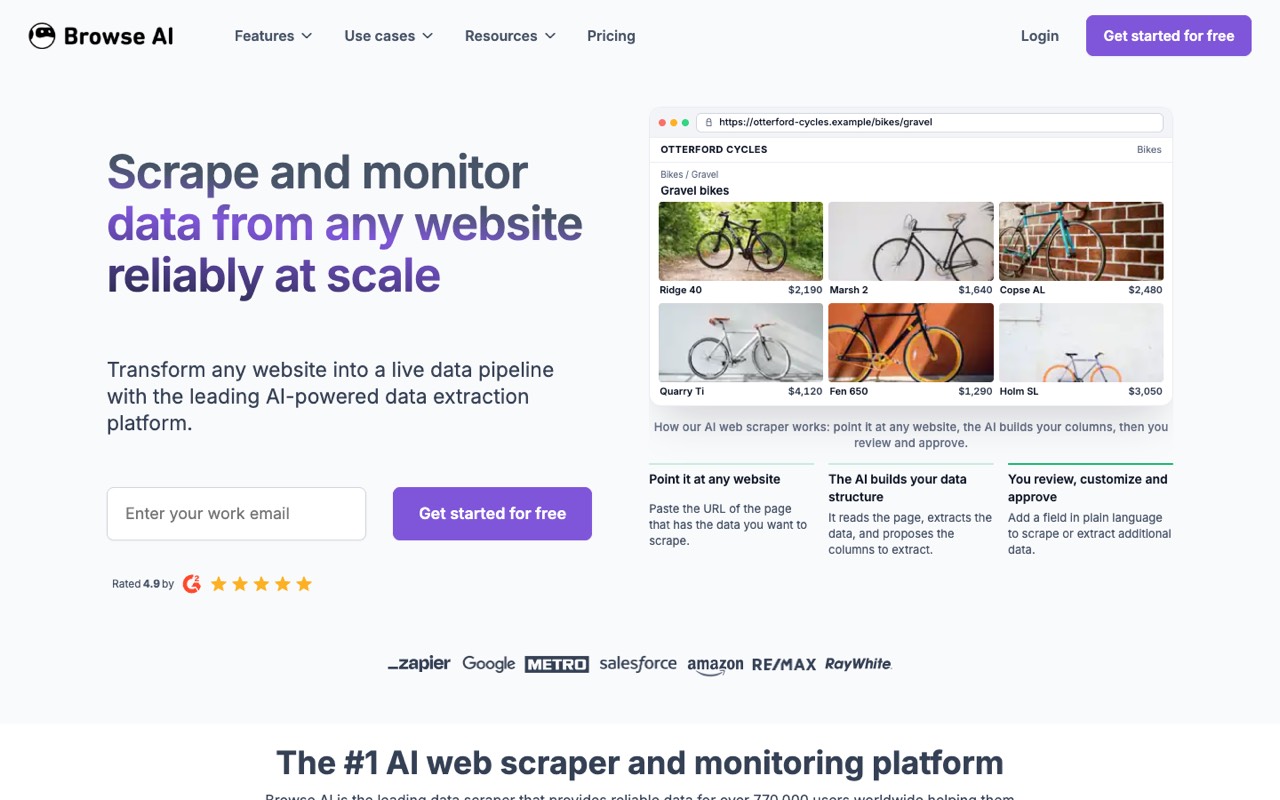
What does Browse AI do?
Browse AI is a no-code web scraping and monitoring tool. You paste the URL of a page, its AI proposes the columns of data to extract, and you approve them; the result is a 'robot' that can pull that data again on a schedule, watch it for changes and send it to your spreadsheet, apps or API.
- Point-and-click robots. Paste a URL and the AI suggests the data columns to extract; you review them, add fields in plain language, or train the robot to fill forms, scroll and pick dropdown options.
- Prebuilt robots. The homepage lists 250+ ready-made robots for common sites, so you can start without training your own.
- Monitoring and alerts. Run robots on a schedule and get alerts when the data on a page changes, such as a price or a new listing.
- Integrations and exports. Send data to Google Sheets, Airtable, Zapier, Make and, per the homepage, 7,000+ apps; export CSV or JSON, or push to AWS S3.
- API and webhooks. Turn a robot into a REST API endpoint or trigger webhooks, including bulk runs across many URLs.
- Scale features. The homepage lists dynamic-content capture, proxy management, automatic retries and rate limiting, plus a managed scraping service for enterprises.
- Security. Browse AI states it is SOC 2 Type II certified and GDPR compliant, with role-based access control.
Who is Browse AI for?
Browse AI is a good fit if you're a business owner or an affiliate marketer, and you need help automating busywork.
How much does Browse AI cost?
Browse AI starts at $19/mo. It also has a free plan. We checked this on Oct 12, 2026 on the official pricing page.
- Starts at
- $19/mo
- Free plan
- Yes
- Free trial
- Not offered on the pricing page
Personal plan billed yearly ($228) with 12,000 credits a year; billed monthly it is $48/mo with 2,000 credits a month. Free plan: 50 credits a month and 2 websites.
Browse AI plans compared
| Plan | Billed monthly | Billed yearly | What you get |
|---|---|---|---|
| Free | $0 | $0 | 50 credits a month, 2 websites, 3 users, unlimited robots; no credit card |
| Personal | $48/mo | $19/mo ($228/yr) | Billed monthly: 2,000 credits a month. Billed yearly: 12,000 or 24,000 credits a year, all upfront. 5 websites, 3 users |
| Professional | $87/mo | $69/mo ($828/yr) | Billed monthly: 5,000 to 30,000 credits a month. Billed yearly: 60,000 to 360,000 credits a year. 10 websites, 10 users. Prices shown are for the smallest credit tier |
| Premium | Not listed | From $500/mo | Billed yearly, 600,000+ credits a year, custom limits on users, websites and credits; through sales |
Monthly and yearly billing come with different credit amounts, so the headline prices aren't a like-for-like discount: the cheapest yearly Personal tier gives 12,000 credits a year (about 1,000 a month), while the monthly Personal plan gives 2,000 a month. Bigger credit tiers cost more; we list the smallest. The pricing page shows a few figures twice with different values (for example, an extra website on Personal at $4 or $5 a month) and mentions a full refund for up to 60 days after purchase, so read the terms at checkout.
Checked Oct 12, 2026 on Browse AI's pricing page. Prices change often, so confirm before you buy.
Browse AI pros and cons
What stands out
- Free plan with 50 credits a month and no card
- No code needed to build a scraper or a page monitor
- Change monitoring and alerts are built in, not an add-on
- API, webhooks and Sheets/Airtable/Zapier integrations on paid plans
Watch out for
- Monthly and yearly plans include different credit amounts, which makes prices hard to compare
- The pricing page repeats some figures with different values
- Premium starts at $500 a month and is billed yearly
- Collecting data from some websites can break their terms of use, so check before you scrape
Based on Browse AI's own pages, not hands-on testing.
What are the alternatives to Browse AI?
We list 8 other AI Automation & Agents tools: Activepieces, Airia, Flowith, Lindy, MindStudio, n8n, TestDriver, Turbotic. Each one below shows its starting price and when you might pick it instead.
 Activepieces · From $20/mo
Choose Activepieces if you'd like a second option to compare for automating busywork.


 Lindy · From $29.99/mo
Choose Lindy if you'd like a second option to compare for automating busywork.


 TestDriver · From $20/mo
Choose TestDriver if you'd like a second option to compare for automating busywork.

Compared in
Browse AI FAQ
Is Browse AI free?
Yes, there is a free plan: 50 credits a month, 2 websites and 3 users, with no credit card required. Paid plans start at $19 a month billed yearly (Personal).
Why is Browse AI $48 a month but $19 a month yearly?
The two options include different credits. Personal billed monthly costs $48 for 2,000 credits a month; the cheapest yearly option costs $228 a year for 12,000 credits a year, delivered upfront.
Do I need to code to use Browse AI?
No. You build robots by pasting a URL and approving the fields the AI suggests, or by pointing and clicking. Developers can also use the REST API and webhooks.
Sources and how we checked
- Official pricing page, checked Oct 12, 2026
- Official website
- Browse AI homepage, checked Oct 12, 2026