
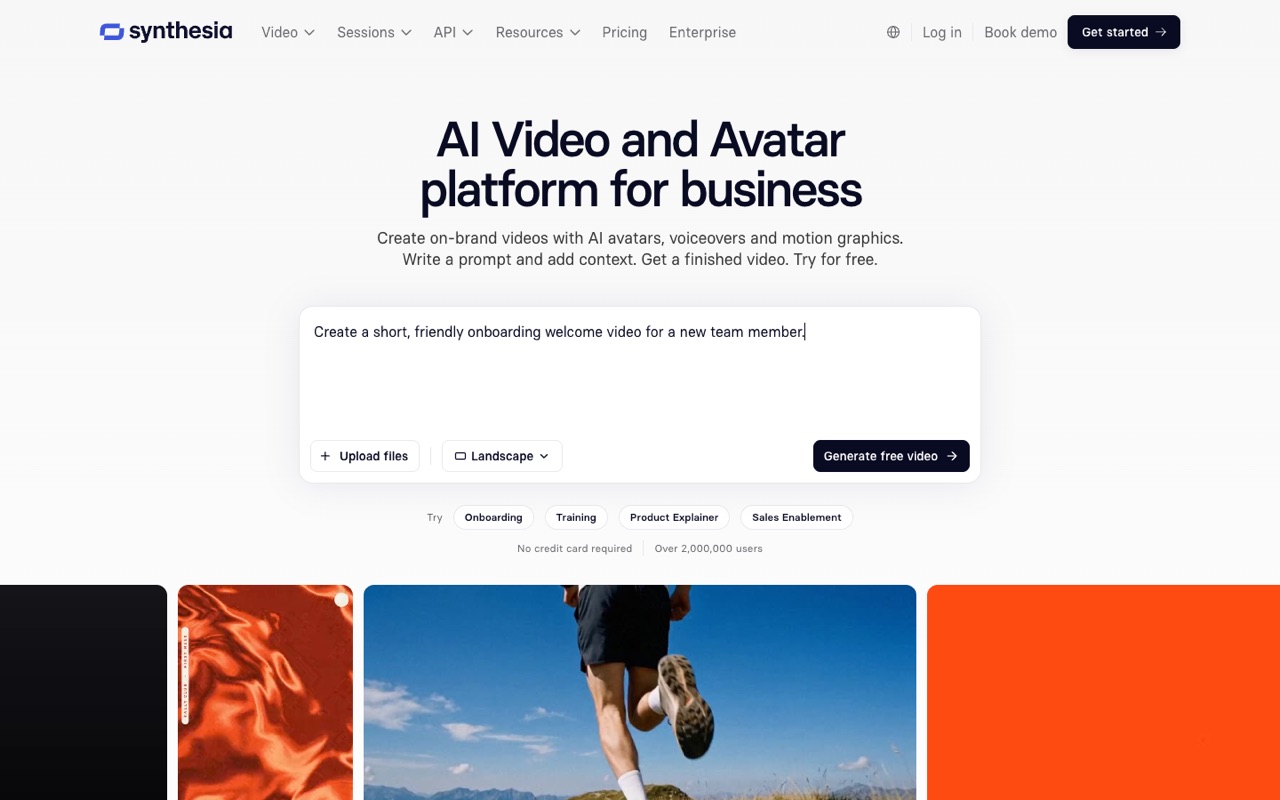
What does Synthesia do?
Synthesia makes business and training videos with AI avatars and voices in 140+ languages, with one-click dubbing, quizzes and SCORM export for LMS courses. Paid plans start at $14/mo billed yearly ($19 monthly). It suits L&D and internal comms teams; skip it if you want social clips or cinematic footage.
- AI avatars. Stock avatars (9 on Free, 125+ on Starter, 180+ on Pro and Business, 240+ on Enterprise), Avatar Builder, and personal avatars from a photo or short video with an on-camera consent recording.
- 140+ languages and voices. Write a script once and generate the video in more than 140 languages and voices.
- 1-click translation and dubbing. Translate finished videos, or upload outside videos and YouTube links, keeping the speaker's voice, with optional lip-sync and a custom glossary.
- AI Assistant drafts. Build a first draft with script, scenes and presenter from a prompt, PowerPoint, document or link, then edit with live collaboration and Brand Kits.
- Interactive video. Add quizzes, clickable CTAs and branching paths; Sessions add avatar-led roleplay practice and surveys.
- SCORM export and LMS updates. Export videos, including translated versions, as SCORM packages; edits update in shared links, embeds and LMS courses.
- Syren AI video agent. An agent that builds longer videos (up to 60 minutes on paid plans) and draws from the same credit pool.
- Enterprise security. Synthesia lists SOC 2 Type II, ISO 27001, ISO 27701 and ISO 42001, GDPR with EU data residency, and SSO/SCIM on Enterprise.
Who is Synthesia for?
Synthesia is a good fit if you're a team lead, a business owner or a course creator, and you need help making videos and images.
How much does Synthesia cost?
Synthesia starts at $14/mo. It also has a free plan. We checked this on Nov 18, 2026 on the official pricing page.
- Starts at
- $14/mo
- Free plan
- Yes
- Free trial
- Not offered on the pricing page
Starter plan billed yearly ($168/yr; $19/mo billed monthly, $9 for the first month): 15,000 credits a year, up to ~150 minutes of video. Pro is $59/mo yearly ($89 monthly); Business $79/mo yearly ($99 monthly). Free Basic plan: 500 credits, about 10 minutes of video a month, with a Synthesia logo. Checked Nov 18, 2026.
Synthesia plans compared
| Plan | Billed monthly | Billed yearly | What you get |
|---|---|---|---|
| Basic (Free) | $0 | $0 | 500 credits a month (about 10 minutes of video or dubbing), 9 AI avatars, 1 editor, Synthesia logo on videos, 1 promo Syren video up to 3 minutes |
| Starter | $19/mo | $14/mo | 1,250 credits a month (15,000 a year on yearly billing), up to ~12 minutes of video a month on top of the free allowance, 125+ AI avatars, 1 editor and 3 guests, removable watermark. First month $9 on monthly billing |
| Pro | $89/mo | $59/mo | 6,000 credits a month (72,000 a year on yearly billing), up to ~60 minutes of video a month on top of the free allowance, 180+ AI avatars, 5 personal avatars, 1 editor and 5 guests. First month $49 on monthly billing; larger credit tiers available |
| Business | $99/mo | $79/mo | 6,000 credits a month (72,000 a year on yearly billing), 1 member included and up to 10 (extra seats $20/seat a month), unlimited guests, unlimited personal avatars (fair use), up to 10 admins; studio avatars are a $1,000/yr add-on |
| Enterprise | Not listed | Custom | Custom credits, unlimited minutes under a fair-use policy, 11+ members, 240+ AI avatars, multiple workspaces, SAML/SSO, dedicated CSM |
Checked Nov 18, 2026 with WebFetch from a US server on synthesia.io/pricing; prices are shown with a $ sign. Yearly prices are per month: Starter $168, Pro $708 and Business $948 billed yearly. The pricing page labels the middle plan "Pro" while its URL and meta text say "Creator". Credits are one shared pool for video, dubbing and surveys; a 1-minute Syren agent video typically uses 1,000–2,000 credits. Unused credits don't roll over, yearly plans get the year's credits upfront, and extra credits you buy last 12 months. If you run out, video creation pauses until renewal or a top-up.
Checked Nov 18, 2026 on Synthesia's pricing page. Prices change often, so confirm before you buy.
Synthesia pros and cons
What stands out
- Free Basic plan with about 10 minutes of video a month
- Low entry price: Starter is $14/mo billed yearly
- Built for training: quizzes, branching, SCORM export and LMS updates
- Dubbing keeps the speaker's voice, with optional lip-sync
- Yearly plans give the full year's credits upfront
- Security certifications listed, including ISO 42001 for AI management
Watch out for
- Free videos carry the Synthesia logo
- Unused credits don't roll over
- Credits are shared between video, dubbing and surveys, so minutes vary
- Starter limits you to one editor
- The "Pro" plan is also called "Creator" on parts of the page, which can confuse
Based on Synthesia's own pages, not hands-on testing.
What are the alternatives to Synthesia?
We list 7 other AI Video & Image tools: HeyGen, Higgsfield, invideo AI, Luma AI, OpusClip, Pika, Runway. Each one below shows its starting price and when you might pick it instead.
 HeyGen · From $24/mo
Choose HeyGen if you'd like a second option to compare for making videos and images.
 Higgsfield · Price not checked
Choose Higgsfield if you'd like a second option to compare for making videos and images.
 invideo AI · From $10/mo per seat
Choose invideo AI if you want a lower starting price ($10/mo per seat vs $14/mo).
 Luma AI · From $25/mo
Choose Luma AI if you'd like a second option to compare for making videos and images.
 OpusClip · From $14.5/mo
Choose OpusClip if you'd like a second option to compare for making videos and images.


Synthesia FAQ
How much does Synthesia cost?
As of Nov 18, 2026: Starter $19/mo ($14/mo billed yearly), Pro $89/mo ($59/mo yearly) and Business $99/mo ($79/mo yearly). Monthly Starter and Pro have a cheaper first month ($9 and $49). Enterprise is custom, and there's a free Basic plan.
Is Synthesia free?
Yes, the Basic plan is free. It gives 500 credits a month, about 10 minutes of video or dubbing, 9 AI avatars and one Syren promo video up to 3 minutes. Videos carry a Synthesia logo.
How many video minutes do you get?
The pricing page estimates up to about 12 minutes a month on Starter and about 60 on Pro, on top of the free allowance (about 150 and 720 minutes a year on yearly billing). Minutes depend on how you spend the shared credits.
Do Synthesia credits roll over?
No. Monthly allowances and credits reset each billing period. Yearly plans receive the year's credits upfront, and separately purchased credits stay valid for 12 months.
Does Synthesia remove the watermark?
The free plan adds a Synthesia logo. The pricing page lists the watermark as removable on Starter and above.
Synthesia vs HeyGen: which should you pick?
Synthesia's entry plan is cheaper ($14/mo yearly vs HeyGen Creator at $24/mo) and leans into training, with quizzes, SCORM and LMS updates. HeyGen focuses on presenter videos, personal avatars and lip-sync translation for creators and marketers. Both checked Nov 18, 2026.
Can Synthesia export to an LMS?
Yes. Videos can be exported as SCORM packages, including translated versions, and Synthesia says edits update automatically in shared links, embeds and LMS courses.
Is Synthesia worth it?
It's a fit for teams that publish training or internal videos in several languages and want LMS-ready output. Solo creators making social clips may get more from cheaper or clip-focused tools. We haven't tested Synthesia hands-on; this is based on its official pages.
Sources and how we checked
- Official pricing page, checked Nov 18, 2026
- Official website
- Synthesia homepage: avatars, dubbing, interactivity, security (checked Nov 18, 2026), checked Nov 18, 2026
- Synthesia affiliate program (checked Nov 18, 2026), checked Nov 18, 2026