Higgsfield Alternatives (2026): 3 AI Video Tools With Clear Prices
This page has one affiliate link: the “Visit Higgsfield” button near the end. If you sign up through it, we may earn a commission at no extra cost to you. It didn’t change our picks: this page exists to show you other options. Every other link goes straight to the vendor. How we make money.
A Higgsfield alternative is another AI video generator, a tool that turns a text prompt or a photo into a short clip, that you can use instead of Higgsfield. The three below publish their US prices, so you can see what a month of video costs before you sign up.
The short answer
The best Higgsfield alternatives are Runway (free credits to try, then $15/mo) for an all-round studio, Luma AI ($30/mo) for high volume with commercial use included, and Pika ($10/mo) for the cheapest paid start on personal projects.
Why people look for a Higgsfield alternative
Higgsfield is an AI studio that puts its own models next to other companies’ models in one account. That is useful, but a few things push people to look elsewhere. Each point below comes from Higgsfield’s own pages.
- The price is hard to pin down. Its pricing page is built in the browser and has shown different plans and prices on different visits. We couldn’t confirm a US price, so we don’t print one. See Higgsfield pricing for what we know.
- The free tier is thin. Its help center says you can generate without a paid plan, but with a small set of models, no credits and a watermark on every result.
- Credits expire. On individual plans, subscription credits reset each billing cycle. Unused credits are lost.
- Your content may improve its models. Higgsfield’s summary of its new terms (effective August 27, 2026) says it uses content to improve its models. Deleting your account stops that use going forward, and Enterprise agreements can exclude your data from training.
Higgsfield alternatives at a glance
| Tool | Best for | Starts at | What the entry plan buys | Free option | Commercial use |
|---|---|---|---|---|---|
 Runway Runway | Best all-round alternative | $15/mo ($12/mo yearly) | 625 a month: About 52 seconds of Gen-4.5 video | 125 one-time credits | Yes, per its help center |
 Luma AI Luma AI | Most video for the money | $30/mo ($25/mo yearly) | 10,000 a month: About 100 five-second Ray3.2 clips at 720p, or 25 at 1080p | None on the pricing page | Yes, listed on Plus |
 Pika Pika | Cheapest paid start | $10/mo ($8/mo yearly) | 900 a month: About 7 Seedance 2.5 or 27 Wan 3.0 clips (5 s, 720p) | Free plan, no monthly credits | Only from Creator ($35/mo) |
 Higgsfield Higgsfield | Many models in one account | Not confirmed for the US | Credit cost listed per model | Free tier, no credits, watermarked | Allowed on any plan, per its help center |
US list prices billed monthly, before tax, from each vendor’s pricing page on October 14, 2026. Luma’s clip count is our arithmetic from its credit table; Runway’s and Pika’s are their own estimates.
How we chose
We picked tools that do what Higgsfield does (make video from text or images) and publish a US price we could read on their own pricing page, using a US connection, on October 14, 2026. We haven’t tested these tools hands-on yet, so we compare plans, credits and rules, not video quality. Kling AI is a popular option too, but we couldn’t read its US prices, so it isn’t listed.
1. Runway: best all-round Higgsfield alternative
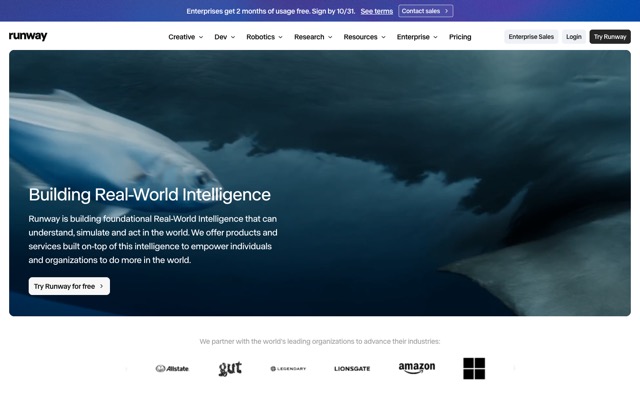
Runway is an AI creative suite built around its own video model, Gen-4.5. Paid plans include all of Runway’s video and image models, 4K upscaling and no watermarks. Standard and up add music, voice and sound-effect generation.
- Price: Standard is $15/mo, or $12/mo billed yearly. Pro is $35/mo ($28 yearly) and Max is $95/mo ($76 yearly).
- Credits: Standard gives 625 credits a month, about 52 seconds of Gen-4.5 video. Standard and Pro credits reset monthly; Max rolls unused credits over for one month.
- Free plan: 125 one-time credits that don’t expire.
- Commercial use: Runway’s help center says the content you make is yours, with no non-commercial restrictions.
Who it’s for: creators and small teams who want one dependable app, a free start and mobile apps for iPhone and Android.
Skip it if: you need minutes of video a month on a small budget. 52 seconds of Gen-4.5 on Standard goes fast.
Weighing Runway against Higgsfield directly? Read our Higgsfield vs Runway comparison.
2. Luma AI: most video for the money

Luma AI is a creative AI platform built on its own Ray3.2 video model and Uni-1 image model. Its plans also include third-party image and video models.
- Price: Plus is $30/mo, or $25/mo billed yearly ($300 a year). Pro is $90/mo ($75 yearly) and Ultra is $300/mo ($250 yearly).
- Credits: Plus gives 10,000 credits. A 5-second Ray3.2 clip costs 100 credits at 720p or 400 at 1080p, so that’s about 100 clips at 720p or 25 at 1080p. Image to video costs the same as text to video.
- Free plan: none listed on the pricing page.
- Commercial use: listed on the Plus plan.
Who it’s for: marketers and small studios who make many clips each month and need commercial rights from the entry plan.
Skip it if: you only need a few clips a month or want to try for free first. At $30/mo it is the priciest entry plan here, and the pricing page doesn’t say whether unused credits roll over.
3. Pika: cheapest paid start
Pika is an AI video generator with its own Pika models plus third-party models, and image and audio generation in the same app. No plan adds a watermark.
- Price: Starter is $10/mo, or $8/mo billed yearly. Creator is $35/mo ($28 yearly).
- Credits: Starter gives 900 credits a month. Pika estimates that’s about 7 Seedance 2.5 clips or 27 Wan 3.0 clips (5 seconds, 720p). Extra packs cost 60 credits per $1.
- Free plan: all models and no watermark, but no monthly credits, so you buy a pack to generate.
- Commercial use: only from Creator up. Free and Starter have no commercial license.
Who it’s for: hobbyists and creators making a handful of clips for personal projects on a small budget.
Skip it if: the clips are for ads, clients or anything you sell. You’d need Creator at $35/mo for the commercial license.
How to choose a Higgsfield alternative
| If you want… | Pick | Why |
|---|---|---|
| To try AI video without paying | Runway | 125 free credits that don’t expire |
| Many clips a month for a business | Luma AI | 10,000 credits and commercial use on Plus |
| The lowest monthly bill | Pika | $10/mo ($8 yearly), no watermark |
| To edit and add audio in the same app | Runway | Upscaling plus music, voice and sound effects from Standard |
Three checks before you pay:
- Turn credits into seconds. A credit is the unit you spend per clip, and it buys a different amount in each tool. Compare seconds of video per dollar, not the monthly fee.
- Check the model’s credit cost. Resolution and model change the price. On Luma, a 1080p clip costs four times a 720p one. On Pika, Seedance 2.5 costs almost four times Wan 3.0.
- Confirm commercial rights. If the video is for a business, make sure your plan includes them. Pika’s Starter doesn’t.
When to stay with Higgsfield
Higgsfield still makes sense if you want to switch between several companies’ models without separate subscriptions. On October 14, 2026 its homepage named Seedance 2.5, Nano Banana Pro and Wan 3.0 next to its own Genjutsu. It also has ready-made effect presets, Ads Studio for product ads and AI Influencer Studio for a virtual presenter. Its help center says commercial use isn’t tied to a plan.
If you stay, our guide on how to use Higgsfield AI covers credits, the free tier and refunds step by step. Check the price in your country at higgsfield.ai/pricing before you pay.
More AI video tools
See all four tools ranked by job in our guide to the best AI video generators, or browse every AI video and image tool we list.
FAQ
What is the best alternative to Higgsfield?
For most people it is Runway: it has a free start (125 one-time credits), published US prices from $15/mo and apps for iPhone and Android. If you make a lot of clips for a business, Luma AI gives 10,000 credits and commercial use on its $30/mo Plus plan. We haven’t tested these tools hands-on; this is based on their official pages.
Is there a free Higgsfield alternative?
Runway’s free plan gives 125 one-time credits that don’t expire, about 10 seconds of Gen-4.5 video. Pika has a free plan with no watermark, but no monthly credits, so you buy a pack (60 credits per $1) to generate. Luma AI lists no free plan on its pricing page. Higgsfield’s own free tier has no credits and watermarks every result.
Is Runway better than Higgsfield?
Not for everyone. Runway is better if you want clear prices, free credits and mobile apps. Higgsfield is better if you want many companies’ models and ready-made effect presets in one account. See our full Higgsfield vs Runway comparison for the details.
Which Higgsfield alternative allows commercial use?
Luma AI lists commercial use on its cheapest plan, Plus ($30/mo). Runway’s help center says content you make is yours to use without non-commercial restrictions. Pika includes a commercial license only from Creator ($35/mo); its Free and Starter plans don’t.
Why don’t you show a Higgsfield price?
We couldn’t confirm a US price. Higgsfield’s pricing page is built in the browser and has shown different plan line-ups and prices on different visits, and reviews quote different numbers. Rather than guess, we link to higgsfield.ai/pricing so you can check the price in your country.
Do unused credits roll over on these tools?
Mostly no. Higgsfield’s help center says subscription credits reset each billing cycle on individual plans. Runway’s Standard and Pro credits reset monthly; only Max rolls over one month. Luma’s and Pika’s pricing pages didn’t answer this when we checked.
Sources
All checked October 14, 2026. Prices read from a US server.
- runway.com/pricing
- help.runwayml.com/hc/en-us/articles/21668707517587-Can-I-use-the-content-I-made-in-Runway-for-commercial-purposes
- lumalabs.ai/pricing
- pika.art/pricing
- higgsfield.ai/pricing
- higgsfield.ai/creator-hub/help-center/plans/how-do-higgsfield-plans-work
- higgsfield.ai/creator-hub/help-center/credits/watermark-and-how-to-remove
- higgsfield.ai/creator-hub/help-center/account-and-privacy/who-owns-my-generations-and-can-i-use-them-commercially
- higgsfield.ai/blog/terms-of-use-privacy-policy-update