ClickUp vs monday.com (2026): Which Work Platform Fits Your Team?
This page has no affiliate links right now: every link goes straight to the vendor. How we make money.
ClickUp vs monday.com (or monday vs ClickUp) is a choice between two work management platforms: apps where a team plans projects, assigns tasks and tracks progress. Both start at $9 a seat a month billed yearly. The real differences are seat minimums, which features each entry plan includes, and how AI credits work.
The short answer
Choose ClickUp if you want tasks, docs and chat in one app, a free plan for the whole team, or you are only 1–2 people. Core is $9/user/mo billed yearly.
Choose monday.com if you want simple visual boards with AI credits on the entry plan. Basic is $9/seat/mo billed yearly, from 3 seats.
ClickUp vs monday.com at a glance
 ClickUp |  monday.com | |
|---|---|---|
| Main idea | One app for tasks, docs, chat, whiteboards and dashboards, organized in Spaces, folders and lists | Visual boards of items (rows) with columns, rolled up into dashboards, with docs and forms next to the work |
| Free plan | Free Forever: unlimited tasks and free members, 60 MB storage | Free: up to 2 seats, 3 boards, 3 docs |
| Free trial | None listed; the free plan has no end date | 14-day Pro trial, no credit card |
| Cheapest paid plan | Core: $9/user/mo billed yearly ($12 monthly) | Basic: $9/seat/mo billed yearly |
| Seat minimum | None stated | Paid plans start from 3 users |
| Monthly-billing price | $12 Core, $25 Business, $120 Max (shown as the regular price) | Not shown; the FAQ says yearly saves 18% |
| AI included | Brain: 500 trial credits per workspace on Free; 1,000 per user a month on Core, 1,500 on Business, pooled | 1,000 credits a month on Basic, 2,000 on Standard, 3,000 on Pro; none on Free |
| Extra AI credits | $10 per 10K credits | Move to a bigger credit bucket through support; no price listed |
| Automations | 100 actions a month on Free, 1,000 on Core, 10,000 on Business (per workspace) | None listed on Basic; 250 automation + 250 integration actions on Standard, 25,000 each on Pro |
| Gantt and timeline | Gantt charts from Core (a trial on Free) | Timeline and Gantt views from Standard ($12) |
| Time tracking | From Core (a trial on Free) | Pro ($19) and up |
| Built-in chat | Yes, team chat and SyncUps calls | Not listed on the pricing page |
| Read-only users | Unlimited free members on Free | Unlimited free viewers from Basic |
From each vendor’s pricing page, read from a US connection on November 11, 2026, plus our tool profiles (ClickUp checked October 29, monday.com November 9, 2026). ClickUp’s monthly prices appear as the “regular price” next to the yearly price. List prices in US dollars before tax. A “seat” or “user” is one paying teammate who can edit.
ClickUp vs monday.com pricing
Both charge per person, per month. Both show yearly prices first.
ClickUp has a Free Forever plan, then Core ($9 per user a month billed yearly, $12 monthly), Business ($17, or $25 monthly) and Max ($100, or $120 monthly). Enterprise is priced by sales. No seat minimum is stated, and an upgrade applies to the whole workspace.
monday.com has a Free plan for up to 2 seats, then Basic ($9 per seat a month billed yearly), Standard ($12) and Pro ($19). Enterprise is quoted. Paid plans start from 3 users. The page shows no monthly-billing price; its FAQ says yearly billing saves 18%. Prices are before tax.
What a year costs for 3, 5 and 10 people
Here is the seat cost alone, billed yearly, before tax and extra AI credits. Plans are lined up by price, cheapest first.
| Plan (per seat a month, billed yearly) | 3 seats a year | 5 seats a year | 10 seats a year |
|---|---|---|---|
| ClickUp Core ($9) | $324 | $540 | $1,080 |
| monday.com Basic ($9) | $324 | $540 | $1,080 |
| monday.com Standard ($12) | $432 | $720 | $1,440 |
| ClickUp Business ($17) | $612 | $1,020 | $2,040 |
| monday.com Pro ($19) | $684 | $1,140 | $2,280 |
Our arithmetic: price per seat × seats × 12, from list prices on November 11, 2026. Paying ClickUp monthly instead costs $432, $720 and $1,440 a year on Core for 3, 5 and 10 people. monday.com’s 10-seat example on its page matches the table: $90 a month on Basic, $120 on Standard and $190 on Pro.
Two things change the math. First, a solo user or a pair can pay for just 1 or 2 seats on ClickUp, while monday.com’s smallest paid bill is 3 seats, or $324 a year on Basic. Second, the plans at the same price don’t include the same things. ClickUp Core ($9) already has Gantt charts and 1,000 automation actions a month. On monday.com, timeline and Gantt views and the first 250 automation actions start on Standard ($12).
AI features compared: ClickUp Brain vs monday AI
Both platforms meter AI in credits: a monthly allowance that each AI action uses up. Neither page says what a typical team needs, so treat the numbers as a ceiling to compare, not a promise.
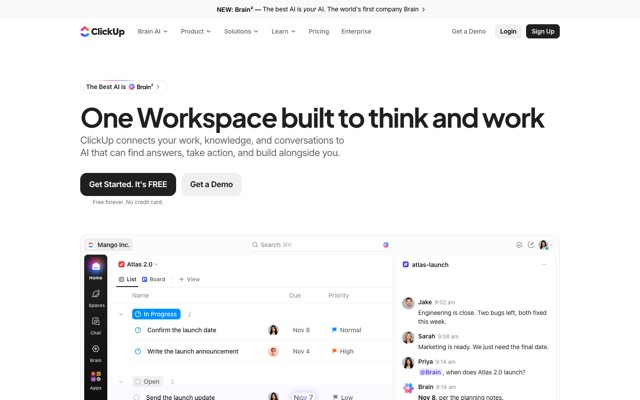
ClickUp Brain is ClickUp’s AI. It reads your tasks, docs and chat to answer questions and write, and ClickUp also offers Super Agents for delegated work. The Free plan gets 500 credits per workspace as a trial. Paid plans include 1,000 credits per user a month on Core, 1,500 on Business, 3,000 on Enterprise and 10,000 on Max, pooled across the workspace. Extra credits cost $10 per 10K on any plan.
monday.com AI starts on Basic: an AI agent workforce (limited on Basic), the Sidekick assistant and Vibe, which builds small apps from a prompt. Standard adds an AI meeting notetaker and AI columns, and Pro adds an AI workflow builder. Plans list 1,000, 2,000 and 3,000 credits a month. The help center prices actions in credits: 8 per AI block action, 120 per notetaker meeting hour and about 10 to 250+ per agent run. More credits come by moving to a bigger bucket through support, with no public price.
Example: a 5-person team on the entry plan
| ClickUp Core | monday.com Basic | |
|---|---|---|
| AI credits listed | 5 × 1,000 = 5,000 a month, pooled | 1,000 a month |
| Notetaker hours at 120 credits | AI notetaker is listed on Max only | Notetaker starts on Standard (2,000 credits ≈ 16 hours) |
| Buying more | $10 per 10K credits | Bigger bucket via support, no listed price |
Our arithmetic from the pricing pages on November 11, 2026 and monday.com’s AI Credits help page. ClickUp states its credits are per user; monday.com lists one figure per plan, and its help page tracks usage across the account. A ClickUp credit and a monday.com credit are not the same unit, so compare totals with care. We haven’t compared AI output quality hands-on.
Ease of use and setup
We haven’t run a team on either app, so this section sticks to how each one is built.
How work is organized
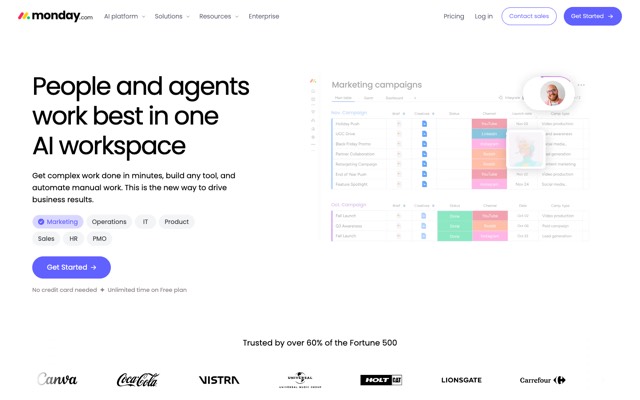
monday.com is built around boards. Each board is a table of items, and each column holds one kind of data, such as status, owner or date. Dashboards pull numbers from several boards. The Free plan includes 200+ templates and 8 column types, which gives a new team a ready starting point.
ClickUp uses a hierarchy: Spaces hold folders, folders hold lists, and lists hold tasks. You can view the same tasks as a list, Kanban board, calendar or Gantt chart. Docs, whiteboards and chat sit in the same workspace. That covers more jobs in one place, but there are more settings to decide on before a team starts.
Who can join for free
ClickUp Free allows unlimited free members, so a whole team can try it at no cost, within 60 MB of storage. monday.com Free stops at 2 seats, but every paid plan adds unlimited free viewers: people who can read boards but not edit them. Guest access starts on monday.com Standard.
Who should pick ClickUp, and who should pick monday.com
ClickUp
Who it’s for: teams that want to replace several apps (task tracker, docs, team chat, time tracking) with one, solo users and pairs who don’t want a 3-seat minimum, and teams that need Gantt charts and automations on the $9 plan.
Skip it if: you want a simple board your team can use on day one, or you store a lot of files on the free plan, which has only 60 MB.
monday.com
Who it’s for: teams of 3 or more that want visual boards and dashboards, AI credits and agents on the entry plan, and many read-only viewers such as clients or managers.
Skip it if: you are one or two people paying, you need automations or Gantt views on the cheapest plan, or you need time tracking without paying for Pro ($19).
| If you are… | Pick | Why |
|---|---|---|
| A freelancer or a team of 2 | ClickUp | No seat minimum; Core is $108 a year per person |
| A team of 5 that wants AI from day one | monday.com | AI agents, Sidekick and 1,000 credits a month on Basic |
| A team that plans with Gantt charts on a budget | ClickUp | Gantt on Core ($9) vs Standard ($12) on monday.com |
| A team sharing boards with many read-only stakeholders | monday.com | Unlimited free viewers on every paid plan |
| A team that tracks billable hours | ClickUp | Time tracking from Core ($9); monday.com needs Pro ($19) |
How we compared them
We compared published plans, seat rules, AI credits and automation limits from each vendor’s pricing page, read from a US connection on November 11, 2026, plus monday.com’s AI Credits help page and our tool profiles. We haven’t used either platform hands-on yet, so we can’t rate speed, setup time or AI answer quality. Both have free plans, and monday.com has a 14-day Pro trial: run one real project through each before you pay for a year.
Other options
If neither fits, Wrike is built for deadline-driven projects with Gantt charts, from $10 per user a month billed yearly, and SmartSuite lets you build custom workflows on linked data, from $15 a seat billed yearly with a 3-user minimum. See more picks in our ClickUp alternatives list, the best AI productivity tools guide, or every AI productivity tool we list.
FAQ
Is ClickUp cheaper than monday.com?
At the entry level they cost the same: ClickUp Core and monday.com Basic are both $9 a seat a month billed yearly, so 5 people pay $540 a year on either. ClickUp gets cheaper for 1 or 2 people, because monday.com paid plans start from 3 users. For Gantt views, ClickUp Core ($9) is cheaper than monday.com Standard ($12). Prices checked November 11, 2026.
Which is easier to use, ClickUp or monday?
We haven’t tested either hands-on, so we can’t rate ease of use. On paper, monday.com has fewer building blocks: boards, items, columns and dashboards. ClickUp packs tasks, docs, chat, whiteboards and dashboards into a Spaces, folders and lists hierarchy, which covers more but has more to set up. Both have free plans, so try your real project in each.
Does monday.com have a free plan?
Yes. monday.com Free covers up to 2 seats, 3 boards and 3 docs, with 200+ templates and the mobile apps, but no AI features. There is also a 14-day free trial of the Pro plan with no credit card. ClickUp’s free plan is roomier on people and tasks: unlimited tasks and free members, but only 60 MB of storage.
Can ClickUp replace monday.com?
For most project and task tracking, yes. ClickUp has boards, lists, calendar and Gantt views, dashboards, automations and docs, plus built-in chat on every plan and time tracking from Core. Moving means rebuilding your boards and automations, so check that your monday.com integrations exist in ClickUp first. monday.com CRM, dev and service are separate monday products priced on their own.
Which has better AI, ClickUp Brain or monday AI?
We can’t judge answer quality without hands-on testing. On allowances, ClickUp lists 1,000 Brain credits per user a month on Core, pooled across the workspace, and sells extras at $10 per 10K. monday.com lists 1,000 to 3,000 credits a month by plan, with AI agents, the Sidekick assistant and the Vibe app builder from Basic, and no public price for extra credits.
Can I pay ClickUp or monday.com monthly?
Both offer monthly billing. ClickUp shows monthly prices: $12 a user on Core and $25 on Business, versus $9 and $17 billed yearly. monday.com’s pricing page shows only yearly prices; its FAQ says yearly billing gives an 18% discount and monthly plans aren’t discounted, but the page doesn’t print a monthly figure.
Do ClickUp and monday.com offer refunds?
monday.com’s FAQ says that if you cancel a yearly plan within 30 days of buying it, you get a partial refund of the remaining balance, and downgrades after that period aren’t refunded. ClickUp’s pricing page shows a 100% money-back guarantee badge; when we read its FAQ on October 29, 2026 it offered a full refund if you ask within 30 days.
Which is better for a small team of 3?
Both cost $324 a year for 3 people on the entry plan. Pick ClickUp Core if you need Gantt charts, time tracking or 1,000 automation actions a month without paying more. Pick monday.com Basic if your team wants simple boards and 1,000 AI credits a month from day one, and you don’t need automations, which are first listed on Standard.
Sources
Pricing pages checked November 11, 2026. ClickUp’s feature details (Super Agents, chat, AI notetaker on Max) and its 30-day refund FAQ come from our profile, checked October 29, 2026 (the November 11 page shows a 100% money-back guarantee badge); monday.com’s AI feature details come from our profile checked November 9, 2026.