
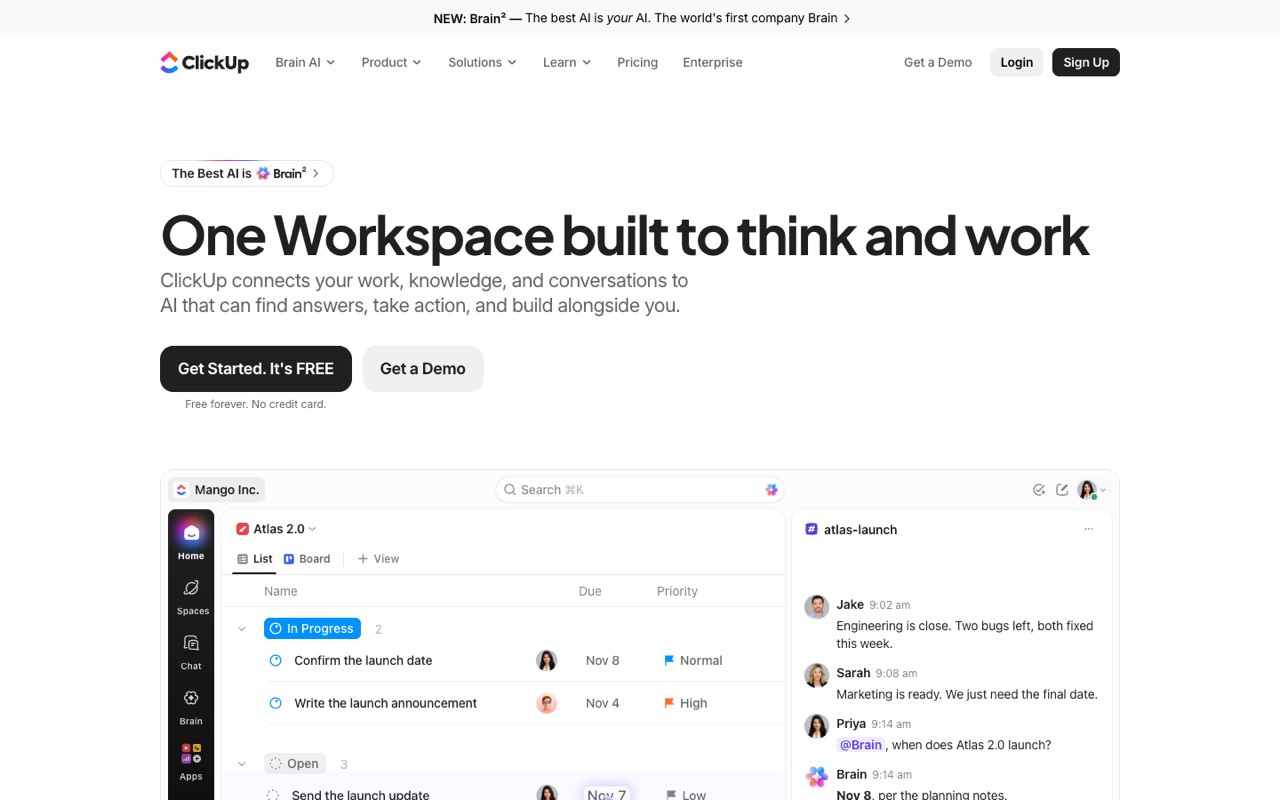
What does ClickUp do?
ClickUp is an all-in-one work platform: tasks, docs, chat, dashboards and automations, with Brain AI that reads your workspace. Free Forever covers unlimited tasks and members; Core is $9/user/mo billed yearly ($12 monthly). It suits teams replacing several tools; skip it if you only need a simple to-do list.
- Tasks and views. Lists, Kanban boards, calendar, Gantt charts and sprints, with unlimited tasks and subtasks even on the free plan.
- ClickUp Brain AI. Brain reads your tasks, docs and conversations to answer questions and write, and ClickUp says it can pick among models such as GPT, Claude and Gemini.
- Super Agents. AI agents that take delegated work such as updates and handoffs; you can also build your own agent.
- Docs and wikis. Collaborative docs connected to tasks, with an AI writer.
- Chat and SyncUps. Team messaging and SyncUps video calls inside the workspace.
- Automations. Rule-based automations with monthly action allowances from 100 on Free to 1M on Enterprise and Max.
- Dashboards and time tracking. Time tracking on every plan; advanced dashboards, timesheets and resource management from Business.
- Enterprise search and MCP. Search across the workspace and connected apps such as Google Drive and GitHub, plus MCP access for AI assistants with daily call limits by plan.
Who is ClickUp for?
ClickUp is a good fit if you're a team lead or a business owner, and you need help planning my day and projects or automating busywork.
How much does ClickUp cost?
ClickUp starts at $9/user/mo. It also has a free plan. We checked this on Oct 29, 2026 on the official pricing page.
- Starts at
- $9/user/mo
- Free plan
- Yes
- Free trial
- Not offered on the pricing page
Core billed yearly ($12 billed monthly). Business is $17 ($25 monthly) and Max $100 ($120 monthly); Enterprise is custom. Free Forever has unlimited tasks and members but 60 MB of storage. Extra AI credits cost $10 per 10K. Checked Oct 29, 2026.
ClickUp plans compared
| Plan | Billed monthly | Billed yearly | What you get |
|---|---|---|---|
| Free Forever | $0 | $0 | 60 MB storage, unlimited tasks and free members, collaborative docs, Kanban and calendar views, time tracking, 100 automation actions a month (5 active rules), 1 form, 3 whiteboards, Brain trial with 500 AI credits per workspace |
| Core | $12/user/mo | $9/user/mo | Unlimited storage and Spaces, custom fields and task types, unlimited forms and Gantt charts, 1,000 automation actions a month, 1,000 AI credits per user a month (pooled), guest permissions, live chat support |
| Business | $25/user/mo | $17/user/mo | Advanced dashboards, webhooks, 10,000 automation actions a month, 1,500 AI credits per user a month (pooled), resource management, timesheets, private views and docs, Google SSO and SMS 2FA |
| Enterprise | Not listed | Custom | 3,000 AI credits per user a month, 1M automation actions a month, white labeling, SAML/SCIM SSO, audit logs, HIPAA and data residency; contact sales |
| Max | $120/user/mo | $100/user/mo | Everything in Enterprise plus 10,000 AI credits per user a month (pooled), unlimited AI fields, AI notetaker, AI image generation, autopilot agents and AI dashboard cards |
Checked on Oct 29, 2026. The pricing page shows yearly prices by default; we switched the toggle to monthly in a browser to read the monthly figures ($12, $25 and $120). Over a year, Core costs $108 per user billed yearly vs $144 monthly, Business $204 vs $300, and Max $1,200 vs $1,440. Extra AI credits cost $10 per 10K on any plan. ClickUp's FAQ offers a full refund if you ask within 30 days, and a cancelled plan runs to the end of the billing cycle.
Checked Oct 29, 2026 on ClickUp's pricing page. Prices change often, so confirm before you buy.
ClickUp pros and cons
What stands out
- Free plan with unlimited tasks and unlimited free members
- Tasks, docs, chat, whiteboards and dashboards in one app
- AI credits are included on every paid plan and pooled across users
- Prices and automation limits are published per plan
- 30-day full refund per ClickUp's FAQ
- SOC 2 Type II, ISO 27001 and HIPAA listed for security reviews
Watch out for
- Free plan has only 60 MB of storage
- Monthly billing costs 20–47% more than yearly, depending on plan
- Many limits (automations, AI credits, whiteboards) vary by plan
- SAML SSO and HIPAA need Enterprise or Max
- Heavy AI use can need extra credits at $10 per 10K
- A wide feature set can take time to set up
Based on ClickUp's own pages, not hands-on testing.
What are the alternatives to ClickUp?
We list 13 other AI Productivity & Meetings tools: Consensus, ElevateForward, Evernote, MeetGeek, monday.com, Motion, Reclaim.ai, SaneBox, SmartSuite, Sunsama, Todoist, Wing Assistant, Wrike. Each one below shows its starting price and when you might pick it instead.

 ElevateForward · From $250/mo
Choose ElevateForward if you'd like a second option to compare for planning my day and projects.
 Evernote · Price not checked
Choose Evernote if you'd like a second option to compare for planning my day and projects.
 MeetGeek · From $9.99/user/mo
Choose MeetGeek if you'd like a second option to compare for planning my day and projects.
 monday.com · From $9/seat/mo
Choose monday.com if you'd like a second option to compare for planning my day and projects.
 Motion · From $19/seat/mo
Choose Motion if you'd like a second option to compare for planning my day and projects.
 Reclaim.ai · From $10/mo
Choose Reclaim.ai if you'd like a second option to compare for planning my day and projects.

 SmartSuite · From $15/seat/mo
Choose SmartSuite if you'd like a second option to compare for planning my day and projects.
 Sunsama · From $17/mo
Choose Sunsama if you'd like a second option to compare for planning my day and projects.

 Wing Assistant · From $699/mo
Choose Wing Assistant if you'd like a second option to compare for planning my day and projects.
 Wrike · From $10/user/mo
Choose Wrike if you'd like a second option to compare for planning my day and projects.
ClickUp FAQ
How much does ClickUp cost?
As of Oct 29, 2026: Free Forever is $0; Core is $9 per user a month billed yearly or $12 monthly; Business is $17 or $25; Max is $100 or $120; Enterprise is custom.
Is ClickUp free?
Yes. Free Forever includes unlimited tasks and free members, docs, Kanban and calendar views and time tracking, but only 60 MB of storage and 100 automation actions a month.
Does ClickUp include AI?
Yes. Every plan includes ClickUp Brain credits: 500 per workspace on Free as a trial, then 1,000, 1,500, 3,000 and 10,000 per user a month on Core, Business, Enterprise and Max.
Can I buy more AI credits?
Yes. The pricing page lists AI Super Credits at $10 per 10K credits on any plan.
How much do I save with yearly billing?
Core drops from $144 to $108 per user a year, Business from $300 to $204 and Max from $1,440 to $1,200.
Does ClickUp offer refunds?
ClickUp's pricing FAQ says it will issue a full refund if you are not satisfied and ask within 30 days of purchase.
What is the ClickUp Max plan?
Max is $100 per user a month billed yearly. It includes everything in Enterprise plus 10,000 AI credits per user a month, AI notetaker, image generation and autopilot agents.
What happens if I cancel ClickUp?
You can cancel any time, and your plan stays active until the end of the billing cycle unless you choose to downgrade immediately.
Sources and how we checked
- Official pricing page, checked Oct 29, 2026
- Official website
- ClickUp homepage (read Oct 29, 2026), checked Oct 29, 2026