
What does SmartSuite do?
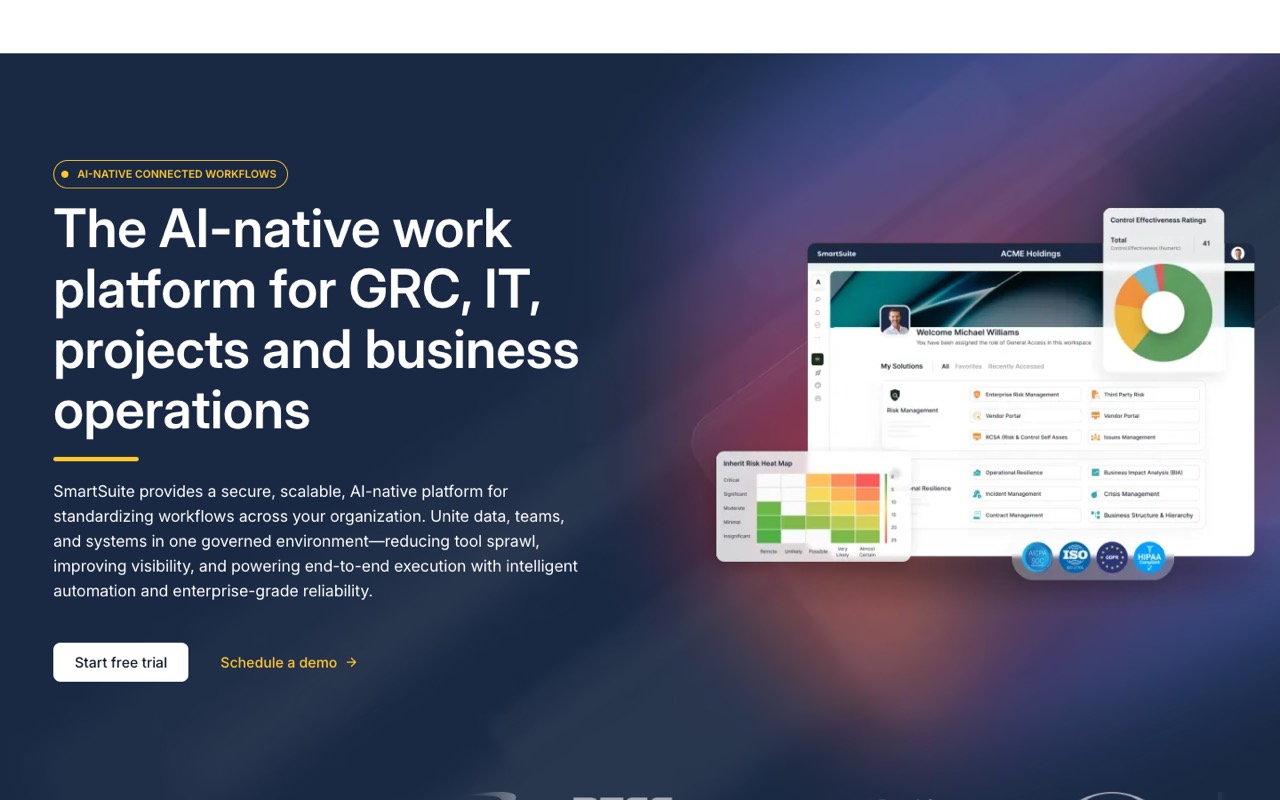
SmartSuite is a no-code work platform for building project, operations, IT service and GRC workflows on linked records, with automations, dashboards and AI agents. Team costs $15 per seat a month billed yearly, from 3 seats, and only editors are billed. It suits teams building custom processes; skip it if you want a free plan or a ready-made planner.
- Relational data and solutions. Build solutions on linked tables of records with 40+ field types and 200+ templates, and unlimited solutions on every plan.
- No-code automations. Triggers, conditions and multi-step actions, metered with API calls at 25,000, 100,000 or 500,000 runs a month by plan.
- Dashboards and reporting. Real-time dashboards and reports across your solutions, with activity history kept for 1 to 3 years by plan.
- AI Workflow and Field Agents. Workflow Agents are automation steps that summarize, classify, translate and enrich data; Field Agents run a prompt on a record and write the result into a field.
- Bring your own LLM. Connect your own key for OpenAI, Anthropic, Google Gemini, Amazon Bedrock, Azure OpenAI, Perplexity, Nscale, IBM watsonx or xAI, and limit each connection to chosen solutions.
- SmartSuite MCP Server. Connects assistants such as Claude and ChatGPT to your workspace; Ask AI in SmartDocs drafts and rewrites text, and Generate Solution with AI builds a solution from a description.
- Permissions. Account, solution and record permissions on Team; Professional adds field, table and view permissions and password-protected sharing; Enterprise adds dynamic record permissions.
- Security and hosting. SOC 2 Type II and ISO 27001 on every plan, US or EU hosting chosen at signup, and a HIPAA BAA on Enterprise and Signature.
Who is SmartSuite for?
SmartSuite is a good fit if you're a team lead or a business owner, and you need help planning my day and projects.
How much does SmartSuite cost?
SmartSuite starts at $15/seat/mo. It has no free plan. Its pricing page lists a free trial. We checked this on Nov 9, 2026 on the official pricing page.
- Starts at
- $15/seat/mo
- Free plan
- No
- Free trial
- 14-day Professional trial, no card
Team per seat billed yearly ($20 billed monthly), minimum 3 billable users. Professional is $32 billed yearly or $36 monthly, minimum 5 users. Only users with edit rights are billed. No free plan.
SmartSuite plans compared
| Plan | Billed monthly | Billed yearly | What you get |
|---|---|---|---|
| Team | $20/seat/mo | $15/seat/mo | Minimum 3 billable users; unlimited solutions, 5,000 records per solution, 50GB storage, 25,000 automation runs and API calls a month, 30-day recycle bin, 1 year of activity history, SmartSuite AI |
| Professional | $36/seat/mo | $32/seat/mo | Minimum 5 billable users; 100,000 records per solution, 100GB storage, 100,000 automation runs and API calls a month, 45-day recycle bin, 2 years of history, folders, Gmail and Outlook integrations, two-factor authentication, field, table and view permissions |
| Enterprise | Not listed | Custom | Minimum 25 users on an annual plan; 400,000 records per solution, 500GB storage, 500,000 automation runs and API calls a month, 60-day recycle bin, 3 years of history, SSO, SCIM, audit logs, IP restrictions, DLP, Premium Support, invoice payment |
Checked on Nov 9, 2026 from a US connection; prices are per seat a month. Only users with edit rights are billed; read-only users, commenters and form submitters are free, and charges are prorated. With the seat minimums, the smallest yearly bill is $540 on Team (3 × $15 × 12; $720 paying monthly) and $1,920 on Professional (5 × $32 × 12; $2,160 paying monthly). Yearly billing saves $5 per seat a month on Team (25%) and $4 on Professional (about 11%), paid upfront. Extra storage is added automatically at $10 a month per 100GB. SmartSuite AI is included at the plan price, but the help center says each workspace gets 100 free AI requests; after that, an admin connects their own model provider key and that provider bills the usage. A separate Signature plan is priced per solution through sales. No free plan.
Checked Nov 9, 2026 on SmartSuite's pricing page. Prices change often, so confirm before you buy.
SmartSuite pros and cons
What stands out
- Only editors count as paid seats; viewers, commenters and form submitters are free
- Both monthly and yearly prices are published
- 14-day Professional trial with no card and no automatic charge
- Bring your own model key from nine providers
- Unlimited solutions and 200+ templates on every plan
- SOC 2 Type II, ISO 27001 and US or EU hosting on every plan
Watch out for
- No free plan
- Seat minimums: 3 on Team, 5 on Professional, 25 on Enterprise
- Team caps each solution at 5,000 records
- Only 100 free AI requests per workspace before you need your own provider key
- Two-factor authentication and Gmail or Outlook integrations need Professional
- More setup work than a ready-made planner
Based on SmartSuite's own pages, not hands-on testing.
What are the alternatives to SmartSuite?
We list 13 other AI Productivity & Meetings tools: ClickUp, Consensus, ElevateForward, Evernote, MeetGeek, monday.com, Motion, Reclaim.ai, SaneBox, Sunsama, Todoist, Wing Assistant, Wrike. Each one below shows its starting price and when you might pick it instead.


 ElevateForward · From $250/mo
Choose ElevateForward if you'd like a second option to compare for planning my day and projects.






 Sunsama · From $17/mo
Choose Sunsama if you'd like a second option to compare for planning my day and projects.



Compared in
SmartSuite FAQ
How much does SmartSuite cost?
As of Nov 9, 2026: Team is $15 per seat a month billed yearly ($20 monthly) with a 3-seat minimum, and Professional is $32 yearly ($36 monthly) with a 5-seat minimum. Enterprise is custom. The smallest yearly bill is $540 on Team.
Does SmartSuite have a free plan?
No. It offers a 14-day trial of Professional with no credit card and no automatic charge at the end; you can invite up to 50 people. If you don't subscribe, the account is disabled but your data is kept.
Who counts as a paid user in SmartSuite?
Only users with edit permissions. Read-only users, commenters and form submitters are free, and charges are prorated when you add or remove users.
Is SmartSuite AI included?
SmartSuite AI is listed on every plan at the plan price. The help center says each workspace gets 100 free AI requests with no API key; after that, an admin adds a connection with their own provider key, and the provider bills that usage.
What happens if I hit a SmartSuite limit?
The FAQ says solutions keep working, but you can't add more records or attachments until you upgrade. Automation runs and API calls are capped each month. Extra storage is added automatically at $10 a month per 100GB.
What's the difference between Team and Professional?
Professional raises records per solution from 5,000 to 100,000, storage from 50GB to 100GB and automation runs from 25,000 to 100,000 a month, and adds folders, Gmail and Outlook integrations, two-factor authentication and finer permissions. It costs $32 vs $15 per seat a month billed yearly.
Does SmartSuite train AI on my data?
The help center says SmartSuite does not train any model on your data, and AI works within existing permissions. When you connect your own provider key, that provider's terms govern how it handles requests.
Is SmartSuite worth it?
It depends on how custom your processes are. Billing only editors keeps costs down for teams with many viewers, but the seat minimums, the 5,000-record cap on Team and the 100 free AI requests matter for small teams. We haven't tested SmartSuite hands-on; this is based on its pricing and help pages.
Sources and how we checked
- Official pricing page, checked Nov 9, 2026
- Official website
- SmartSuite help: SmartSuite AI explained (checked Nov 9, 2026), checked Nov 9, 2026
- SmartSuite AI: agents, fields and bring your own LLM (checked Nov 9, 2026), checked Nov 9, 2026
- SmartSuite homepage, checked Nov 9, 2026