Framer vs Webflow (2026): Which Website Builder Should You Pick?
This page has no affiliate links right now: every link goes straight to the vendor. How we make money.
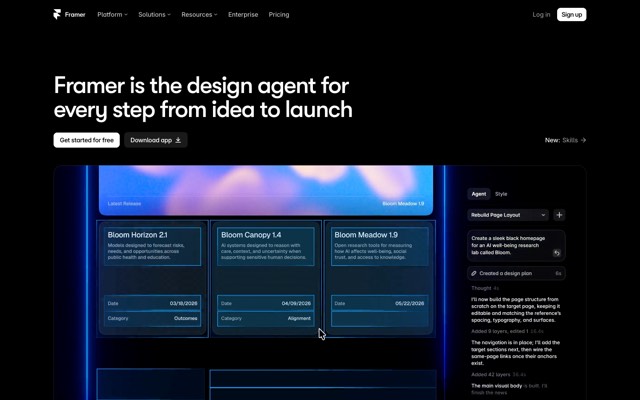
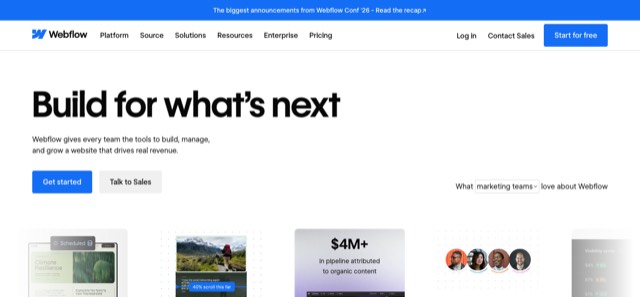
Framer vs Webflow is the choice between two no-code website builders made for designers. A no-code website builder lets you design and publish a site visually, without writing HTML. Framer works like a design canvas; Webflow works more like a visual version of web development, with a bigger CMS and its own online store.
The short answer
Choose Framer for a fast, good-looking marketing site, portfolio or landing page. Paid sites start at $10/mo with a custom domain and a small CMS.
Choose Webflow for a content-heavy site or an online store. Its CMS starts on Premium ($25/mo billed yearly) and holds 20,000 items.
Framer vs Webflow at a glance
 Framer Framer |  Webflow Webflow | |
|---|---|---|
| Free plan | Yes: Framer address, 1 GB bandwidth, 500 AI credits to try | Yes (Starter): webflow.io address, 2 static pages, 50 CMS items, 1 GB bandwidth |
| Cheapest plan with your own domain | Basic: $10/mo | Basic: $15/mo billed yearly, or $25 billed monthly |
| CMS (blog) included from | Basic ($10/mo): 2 collections, 1,000 items | Premium ($25/mo yearly, $39 monthly): 40 collections, 20,000 items |
| Page limit on the cheapest paid plan | 30 pages on Basic, 150 on Pro | 300 static pages on Basic |
| Next plan up | Pro: $30/mo, 150 pages, 2,500 CMS items, staging and redirects | Premium: adds the CMS |
| Selling products | No built-in store on the pricing page; Shopify plugins in the Framer Marketplace | Ecommerce plans from $29/mo billed yearly (500 products, 2% fee) |
| AI | Framer Agent builds and edits pages, copy and CMS content (AI credits on every plan) | AI site builder, AI Assistant and AI SEO/AEO audits; AI credits come with Workspace plans |
| Extra people | Extra editors $20/mo each; content editors $10/mo | Seats are on separate Workspace plans (free Starter; paid from $16/mo billed yearly) |
| How you pay | Per site | Per site, plus a Workspace plan for teams |
From each vendor’s pricing page, checked October 10, 2026. List prices in US dollars before tax. Both vendors price per site, so a second website needs a second plan.
Framer vs Webflow pricing
Framer has one set of site plans: Free, Basic ($10/mo) and Pro ($30/mo), plus custom-priced Enterprise. Framer’s pricing page says the rate depends on the billing cycle you pick at checkout, and its own comparison page describes $10 and $30 as yearly-billed prices. We couldn’t find a separate month-to-month figure, so check the total at checkout.
Webflow splits pricing in two. A Site plan pays for one website’s hosting, domain and CMS limits. A Workspace plan pays for team seats, staging and AI credits, and starts free. A solo owner with one site can usually stay on the free Workspace and pay only for the Site plan.
What a year costs
| Plan for one site | Framer | Webflow |
|---|---|---|
| Cheapest with your own domain | $120 (Basic, $10 × 12) | $180 billed yearly, or $300 paid monthly (Basic) |
| Cheapest with a CMS for a blog | $120 (Basic, 1,000 CMS items) | $300 billed yearly, or $468 paid monthly (Premium) |
| Next plan up | $360 (Pro, $30 × 12: 150 pages, staging, redirects) | Premium is the top general Site plan |
| Cheapest built-in store | None built in (Shopify plus a plugin) | $348 billed yearly (Ecommerce Standard, $29 × 12) |
Before tax and add-ons. Extra Framer editors add $20/mo each; Webflow team seats come from a paid Workspace plan.
Ease of use
Framer feels like a design app. You place and resize elements on a freeform canvas, then set how the page looks on phones and tablets. It works much like a design tool such as Figma.
Webflow’s Designer is built around web concepts: boxes, classes and layout settings that map to real HTML and CSS. That gives you more control over how a page is built, but it takes longer to learn. If you have never heard of a “CSS class”, expect a few evenings of tutorials before your first page looks right.
Both have a free plan, so the fairest test is to rebuild the same page, such as your home page, in each and see which one you finish.
AI features
Framer: Framer Agent creates and edits pages, layouts, copy and CMS content from a prompt. It runs on AI credits: 500 to try on Free, 1,000 a month on Basic and 3,000 on Pro. Framer also lets you connect outside coding agents such as Claude Code, Codex or Cursor to a project over MCP, which it says doesn’t use Framer credits. AI translation comes with its localization add-on ($20 per locale).
Webflow: an AI site builder drafts a starter site from a few details about your business, and an AI Assistant answers questions and generates sections in your site’s style. On paid plans, AI SEO and AEO audits flag missing alt text, meta tags and schema. AEO means getting your pages quoted when people ask AI assistants like ChatGPT. Webflow’s AI credits come with Workspace plans: 200 a month on the free Starter Workspace.
Neither AI writes a finished site you should publish untouched. Treat both as a fast first draft.
CMS, SEO and growing the site
A CMS (content management system) is where you store repeatable content, such as blog posts or case studies, so each one gets its own page from a template.
- Framer includes a CMS on every paid plan: 2 collections and 1,000 items on Basic, 10 collections and 2,500 items on Pro. Pro can add more items for $20 per 10,000, up to 40,000. Basic is capped at 30 pages and Pro at 150 (add-ons go up to 700).
- Webflow leaves the CMS out of Basic, which is for static pages only (up to 300). Premium adds 40 collections and 20,000 items.
For SEO, Framer’s pricing page lists built-in SEO, and redirects and a staging site appear on Pro. Webflow’s paid plans add the AI SEO and AEO audits described above. Both are fine for ranking a normal business site; what you publish matters more than which builder hosts it.
Rule of thumb: under about 30 pages and a few hundred posts, Framer Basic is enough. If you plan a large blog, a resource library or many content types, start on Webflow Premium so you don’t hit a limit later.
Ecommerce
Webflow sells its own Ecommerce Site plans, billed yearly: Standard at $29/mo (500 products, 2% transaction fee), Plus at $74/mo (5,000 products, no fee) and Advanced at $212/mo (15,000 products, no fee).
Framer’s pricing page lists no store features. To sell on a Framer site, you add a Framer Marketplace plugin such as Framer Commerce, which syncs products from a Shopify store. That means a Shopify subscription on top of Framer, plus the plugin’s own paid plans for a custom domain.
If selling products is the main job of your site, Webflow, or a dedicated store platform, is the simpler path than Framer.
Who should pick which
Framer
Who it’s for: designers, freelancers, startups and small businesses that want a polished marketing site, portfolio or landing page live this week, for $10/mo.
Skip it if: you need a built-in store, more than 150 pages, or a large content library from the start.
Webflow
Who it’s for: marketing teams and site owners who plan a big blog or resource hub, want detailed control over how pages are built, or want to sell products without Shopify.
Skip it if: you just want a simple site fast and don’t want to learn web layout concepts, or you need a CMS but only want to pay $15/mo.
| If you are… | Pick | Why |
|---|---|---|
| A designer building a portfolio | Framer | Canvas editor, custom domain from $10/mo |
| A startup launching a landing page | Framer | Fast to publish; Framer Agent drafts pages |
| A team running a large blog | Webflow | 20,000 CMS items on Premium |
| A brand selling products | Webflow | Built-in Ecommerce plans |
| A local business that wants a site in an afternoon | Neither first | Durable or Hostinger are simpler |
How we compared them
We compared published plans, limits and features from each vendor’s own pages. We haven’t built a site on either tool hands-on yet, so we can’t rate speed, design quality or support. Both have free plans: build the same page in each before you pay.
Alternatives worth a look
If neither fits, Wix is a drag-and-drop builder with a free plan, Hostinger Website Builder is the cheapest first year in our list, and Durable drafts a small-business site from a few questions. Compare all five in our guide to the best AI website builders, or browse every AI website builder we list.
FAQ
Is Framer better than Webflow?
Neither wins for every site. Framer is the quicker, cheaper way to publish a designed marketing site, portfolio or landing page. Webflow fits bigger content sites and online stores: its Premium plan holds 20,000 CMS items, and it sells Ecommerce plans, which Framer does not.
Is Framer cheaper than Webflow?
For one small site, usually yes. On October 10, 2026, Framer Basic cost $10/mo with a custom domain and a small CMS. Webflow Basic cost $15/mo billed yearly ($25 monthly) with no CMS, and Webflow’s CMS starts on Premium at $25/mo billed yearly ($39 monthly).
Can Framer replace Webflow for a blog or CMS site?
For a small blog, yes: Framer Basic includes 1,000 CMS items and Pro 2,500, with paid add-ons on Pro up to 40,000. If you plan thousands of posts or many content types from day one, Webflow Premium’s 20,000 items and 40 collections give you more room.
Which is better for SEO, Framer or Webflow?
Both list built-in SEO controls, so either can rank a normal business site. Webflow adds AI SEO and AEO audits on paid plans that flag missing alt text, meta tags and schema. On Framer, redirects and a staging site are listed on Pro, not Basic. What you publish matters more than the builder.
Can I sell products on Framer?
Not with a built-in store: Framer’s pricing page lists no ecommerce features. Framer Marketplace plugins such as Framer Commerce connect a Shopify store to a Framer site. Webflow has its own Ecommerce plans, from $29/mo billed yearly for 500 products with a 2% transaction fee.
Sources
All pages checked October 10, 2026.
- www.framer.com/pricing
- www.framer.com/compare/framer-vs-webflow
- www.framer.com/help/ai/
- www.framer.com/marketplace/plugins/framer-commerce/
- webflow.com/pricing
- help.webflow.com/hc/en-us/articles/34297897805715-Webflow-AI-overview
- help.webflow.com/hc/en-us/articles/51059955082387-Updated-pricing-and-simplified-plans-for-May-2026