
What does Klap do?
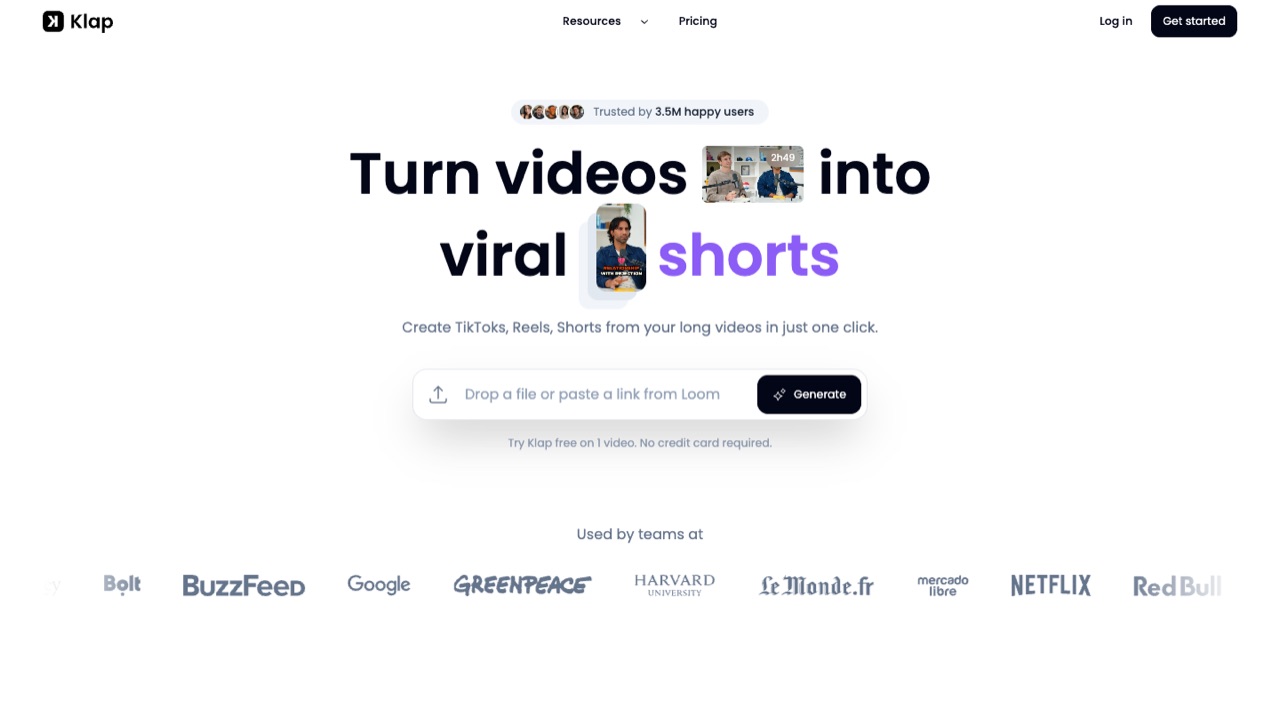
Klap turns long videos or YouTube links into vertical shorts with a virality score, speaker reframing, animated captions and a scheduler. Basic costs $29/mo or $14.50/mo billed yearly for 100 clips a month, with no watermark. It suits podcasters and creators repurposing talk-based video; skip it if you need a free plan or footage made from a prompt.
- AI clipping. Finds the strongest topics in a long video and edits them into separate shorts; works on any video with speech, such as podcasts, interviews, webinars and tutorials.
- Virality score. Each clip gets a score that estimates its potential, on every plan.
- Auto reframing. Reframes clips to follow the active speaker; AI Reframe 2 adds split-screen, screencast and gaming layouts.
- Animated captions. Styled subtitles on each clip, with transcription and editing in 99+ languages.
- Brand customization. Set fonts, colors, logos and framing to match your brand.
- Editor with B-roll and hook titles. Adjust clips in an editor that adds B-roll and hook titles.
- Publish, schedule and analytics. Post or schedule to TikTok, YouTube, Instagram, LinkedIn and Facebook with unlimited social accounts, then see post analytics.
- API and integrations. A pay-per-use API, an MCP server and integrations with Zapier, Make and n8n.
Who is Klap for?
Klap is a good fit if you're a video creator or a business owner, and you need help making videos and images.
How much does Klap cost?
Klap starts at $14.50/mo. It has no free plan. Its pricing page lists a free trial. We checked this on Nov 24, 2026 on the official pricing page.
- Starts at
- $14.50/mo
- Free plan
- No
- Free trial
- Free on 1 video with no credit card; downloading and posting clips needs a paid plan
Basic plan billed yearly ($174/yr, 1,200 clips up front); $29/mo billed monthly for 100 clips a month. Pro is $39.50/mo yearly ($79 monthly, 300 clips a month) and Pro+ $94.50/mo yearly ($189 monthly, 1,000 clips). Every plan has no watermark, unlimited social accounts and source videos up to 3 hours. The API is billed separately per video, short and export. Prices in USD. Checked Nov 24, 2026.
Klap plans compared
| Plan | Billed monthly | Billed yearly | What you get |
|---|---|---|---|
| Basic | $29/mo | $14.50/mo | 100 clips a month (1,200 up front on yearly billing, $174 a year), for individuals; AI clipping with virality score, reframing and animated captions, scheduling, unlimited social accounts, analytics, no watermark |
| Pro | $79/mo | $39.50/mo | 300 clips a month (3,600 up front on yearly billing, $474 a year), for professionals; same features as Basic |
| Pro+ | $189/mo | $94.50/mo | 1,000 clips a month (12,000 up front on yearly billing, $1,134 a year), labelled for teams; the page doesn't state a seat count |
Checked Nov 24, 2026 with WebFetch from a US server on klap.app/pricing. Klap says all prices are in US dollars and were last updated Nov 4, 2026. Yearly billing is 50% off the monthly price ($14.50 x 12 = $174). Each generated short counts as one clip, whatever the source length; clips refill every billing period. There's no free plan: you can try 1 video free with no credit card, but downloading and posting need a paid plan. The API is billed separately ($0.44 per input video, $0.32 per short, $0.48 per export).
Checked Nov 24, 2026 on Klap's pricing page. Prices change often, so confirm before you buy.
Klap pros and cons
What stands out
- Yearly billing halves the price ($14.50 vs $29 a month on Basic)
- No watermark on any paid plan
- Every plan has the same features; plans differ by clip count
- Unlimited social accounts for scheduling
- Source videos up to 3 hours, in 99+ languages
- Try 1 video free with no credit card
Watch out for
- No free plan; the free trial video can't be downloaded or posted
- Clip quotas are counted per short, so heavy clippers may need Pro or Pro+
- Pro+ is labelled for teams but no seat count is published
- The API costs extra on top of the subscription
- It repurposes existing footage; it doesn't generate new video from text
Based on Klap's own pages, not hands-on testing.
What are the alternatives to Klap?
We list 11 other AI Video & Image tools: HeyGen, Higgsfield, invideo AI, Luma AI, Magnific, OpusClip, Pictory, Pika, Runway, Submagic, Synthesia. Each one below shows its starting price and when you might pick it instead.


 invideo AI · From $10/mo per seat
Choose invideo AI if you want a lower starting price ($10/mo per seat vs $14.50/mo).
 Luma AI · From $25/mo
Choose Luma AI if you'd like a second option to compare for making videos and images.


 Pictory · From $29/mo
Choose Pictory if you'd like a second option to compare for making videos and images.




Klap FAQ
How much does Klap cost?
As of Nov 24, 2026: Basic $29/mo, Pro $79/mo and Pro+ $189/mo billed monthly, or $14.50, $39.50 and $94.50 a month billed yearly ($174, $474 and $1,134 a year). Prices are in USD.
Is Klap free?
There's no free plan. You can try Klap on 1 video with no credit card and preview and edit the clips, but downloading and posting them needs a paid plan.
Does Klap add a watermark?
Not on paid plans. Klap says paid exports carry no Klap branding.
What counts as a clip in Klap?
Each short Klap generates counts as one clip. The length of the source video doesn't use clips, and your clip allowance refills every billing period. Yearly plans get the whole year's clips at once.
Which platforms can Klap post to?
Klap lists scheduling and publishing to TikTok, YouTube, Instagram, LinkedIn and Facebook, with unlimited social accounts on every plan.
Can I get a refund from Klap?
Klap's FAQ says monthly plans are refundable in the first month, and yearly plans get a full refund in the first month, then 1/12 of the yearly price for each full unused month, up to the last 3 in a row. Check Klap's terms for details.
Does Klap have an API?
Yes. The self-serve API is priced separately: $0.44 per input video, $0.32 per short and $0.48 per export. Klap also lists an MCP server and Zapier, Make and n8n integrations.
Is Klap worth it?
It fits if you record long talk-based videos and want vertical shorts without editing each one, and the yearly price is half the monthly one. If you need a free plan, OpusClip offers one. We haven't tested it hands-on; this is based on its official pages.
Sources and how we checked
- Official pricing page, checked Nov 24, 2026
- Official website
- Klap homepage: AI clipping, reframing, captions, languages (checked Nov 24, 2026), checked Nov 24, 2026
- Klap affiliate program (checked Nov 24, 2026), checked Nov 24, 2026