
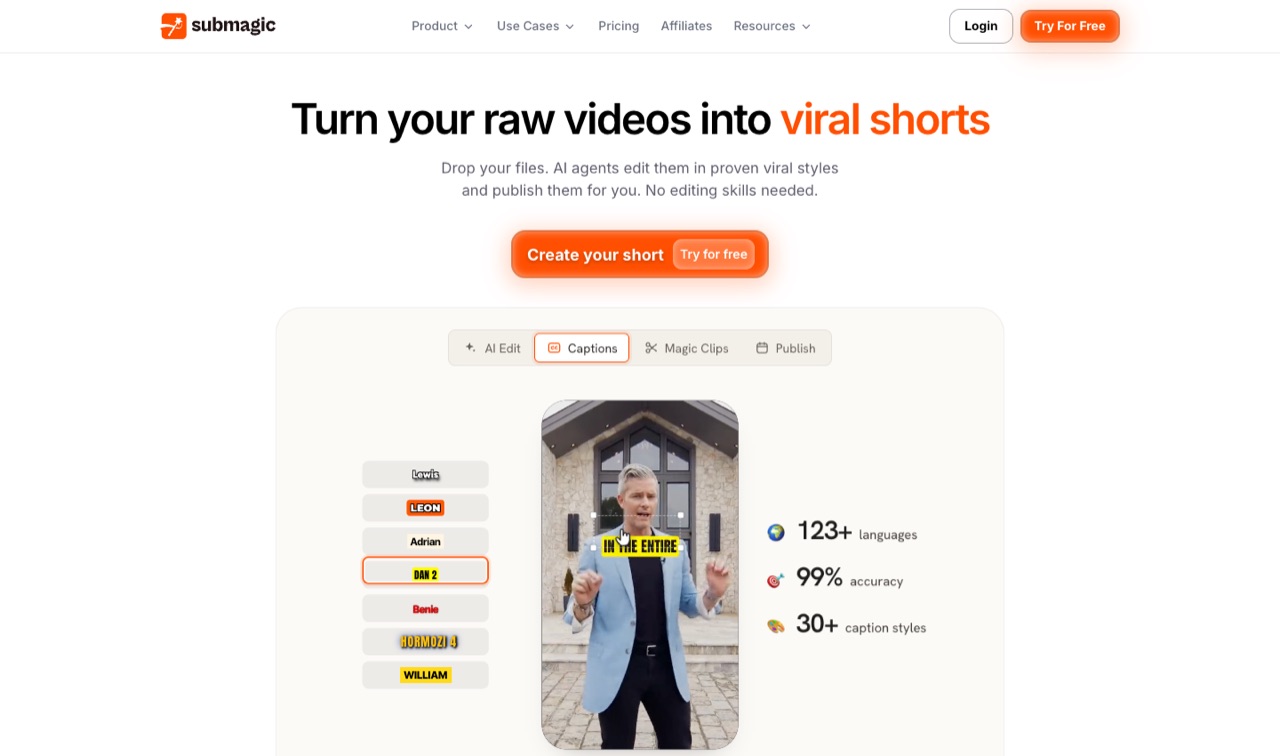
What does Submagic do?
Submagic edits raw clips into short-form videos: captions in 118 languages, cuts, zooms, B-roll and music, plus Magic Clips for long videos and direct publishing. Starter costs $12/mo billed yearly ($144). It suits creators posting Reels, TikToks and Shorts; skip it if you need long-form editing or a free plan.
- AI captions. Auto captions in 118 languages in viral caption styles; Submagic claims 99% accuracy.
- Magic Clips. Turns a long video into several shorts, each captioned and reframed on the speaker (5, 15 or 37 long videos a month by plan).
- Iris AI editing agent. An AI agent that edits shorts for you, adding cuts, B-roll, zooms and music in a chosen style (2, 6 or 15 videos a month by plan).
- Text-based editing. Edit the transcript instead of a timeline; delete sentences to cut, remove silences and filler words in one click.
- B-roll, zooms and music. Adds B-roll, auto-zooms, transitions, sound effects and background music; Pro adds Storyblocks B-roll and audio.
- Publishing and scheduling. Publish or schedule to TikTok, Instagram Reels and YouTube Shorts from the editor, with analytics on Pro and Business.
- AI avatars and translation. Create shorts without filming using AI actors, plus AI eye contact and a video translator.
- Brand Kit and team workspace. Brand Kit from Pro; Business adds logos and brand assets, 30 custom templates and a shared workspace.
Who is Submagic for?
Submagic is a good fit if you're a video creator or a business owner, and you need help making videos and images.
How much does Submagic cost?
Submagic starts at $12/mo. It has no free plan. We checked this on Nov 24, 2026 on the official pricing page.
- Starts at
- $12/mo
- Free plan
- No
- Free trial
- Not offered on the pricing page
Starter plan billed yearly ($144/yr): 45 credits a month, 15 captioned videos, 5 long videos clipped, 2-minute videos, 1080p export with no watermark. Pro is $23/mo ($276/yr) and Business $41/mo ($492/yr), both billed yearly. The page shows crossed-out $19, $39 and $69 next to the yearly prices without labelling them as monthly prices, so we don't print a monthly price. The page says no credit card is required to start but doesn't state trial terms. Prices in USD. Checked Nov 24, 2026.
Submagic plans compared
| Plan | Billed monthly | Billed yearly | What you get |
|---|---|---|---|
| Starter | Not listed | $12/mo | $144 a year; 45 credits a month, 15 captioned videos, 2 videos edited by the Iris agent, 5 long videos clipped, videos up to 2 minutes, 1080p at 30 fps, no watermark, free B-roll and audio, text-based trimming |
| Pro | Not listed | $23/mo | $276 a year; 120 credits a month, 40 captioned videos, 6 Iris videos, 15 long videos clipped, videos up to 5 minutes, 2K at 30 fps, pro caption templates, bad-take and silence removal, audio clean-up, social publishing and analytics, Storyblocks B-roll and audio, Brand Kit |
| Business | Not listed | $41/mo | $492 a year; 300 credits a month, 100 captioned videos, 15 Iris videos, 37 long videos clipped, videos up to 30 minutes, 4K at 60 fps, 30 custom templates, API and integrations (100 min a month), 3 social accounts per platform, priority support and rendering |
| Custom | Not listed | Custom | Custom video, minute, member and Magic Clips limits, custom API limits, dedicated customer success, advanced security and SSO |
Checked Nov 24, 2026 with WebFetch from a US server on submagic.co/pricing (prices in USD). The page shows yearly billing and says yearly saves up to 41%. Crossed-out $19, $39 and $69 appear next to the yearly prices without a monthly label, so we don't print monthly prices. All plans accept source videos up to 3 hours. API minute packs can be added after buying a plan, from $57/mo for 250 minutes. The page says no credit card is required to start but doesn't state free trial terms.
Checked Nov 24, 2026 on Submagic's pricing page. Prices change often, so confirm before you buy.
Submagic pros and cons
What stands out
- Captions in 118 languages
- No watermark from the cheapest plan
- Up to 4K at 60 fps export on Business
- Edit by transcript with one-click silence and filler-word removal
- Built-in publishing to TikTok, Reels and Shorts
- API and integrations, with extra API minute packs
Watch out for
- No free plan, and no monthly price is labelled on the pricing page
- Starter caps videos at 2 minutes and 1080p
- Low monthly quotas on Starter (15 captioned videos, 5 long videos clipped)
- Built for short vertical video, not long-form editing
- Custom plans with SSO are quote-only
Based on Submagic's own pages, not hands-on testing.
What are the alternatives to Submagic?
We list 11 other AI Video & Image tools: HeyGen, Higgsfield, invideo AI, Klap, Luma AI, Magnific, OpusClip, Pictory, Pika, Runway, Synthesia. Each one below shows its starting price and when you might pick it instead.


 invideo AI · From $10/mo per seat
Choose invideo AI if you want a lower starting price ($10/mo per seat vs $12/mo).

 Luma AI · From $25/mo
Choose Luma AI if you'd like a second option to compare for making videos and images.






Submagic FAQ
How much does Submagic cost?
As of Nov 24, 2026, billed yearly: Starter $12/mo ($144 a year), Pro $23/mo ($276) and Business $41/mo ($492). Custom plans are quote-only. The pricing page doesn't label a monthly-billing price.
Is Submagic free?
There's no free plan on the pricing page. Submagic says no credit card is required to start and offers a "Try for free" sign-up, but it doesn't publish trial limits.
Does Submagic add a watermark?
The Starter plan lists no watermark, and Pro and Business build on it. The pricing page doesn't describe a watermarked tier.
How many languages does Submagic support?
The homepage says captions can be generated in 118 languages.
Can Submagic turn a long video into shorts?
Yes, with Magic Clips. It finds strong moments and captions and reframes each clip. Starter clips 5 long videos a month, Pro 15 and Business 37, and source videos can run up to 3 hours.
What export quality does Submagic offer?
1080p at 30 fps on Starter, 2K at 30 fps on Pro and 4K at 60 fps on Business.
Does Submagic have an API?
Yes. Business lists API and integrations with 100 minutes a month, and the comparison table shows 10 minutes on Starter and Pro. Extra API minute packs start at $57/mo for 250 minutes.
Is Submagic worth it?
It fits creators who post short vertical videos often and want captions, cuts and B-roll done for them. If you mainly need to cut long videos into many clips, a clip-focused tool like Klap or OpusClip may fit better. We haven't tested it hands-on; this is based on its official pages.
Sources and how we checked
- Official pricing page, checked Nov 24, 2026
- Official website
- Submagic homepage: captions, Magic Clips, Iris, FAQ (checked Nov 24, 2026), checked Nov 24, 2026
- Submagic affiliate program (checked Nov 24, 2026), checked Nov 24, 2026