
What does SlidesAI do?
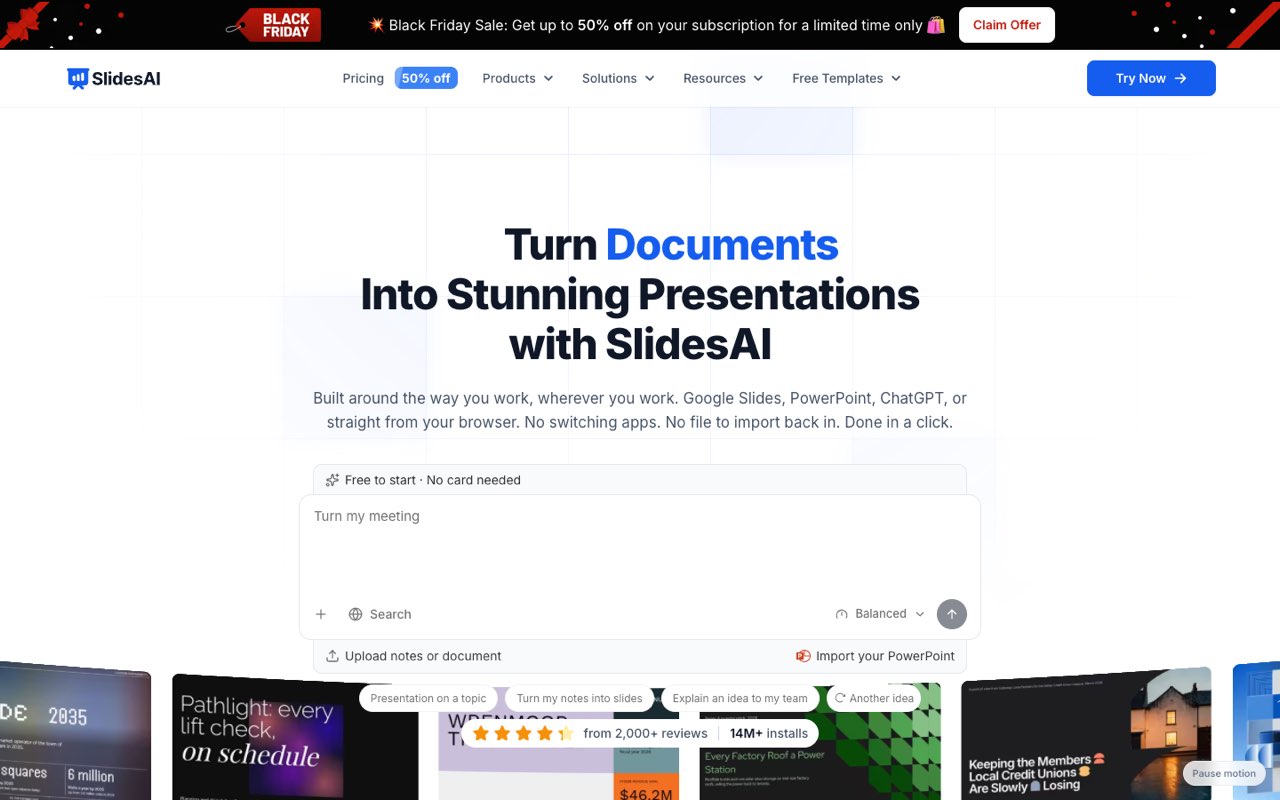
SlidesAI turns a topic, notes, a script or a PDF/Word file into slides inside Google Slides, PowerPoint, ChatGPT or its web app. A free plan gives 200 AI credits a month; Pro is $10/user/mo billed yearly. It suits students, teachers and professionals who already work in Google Slides or PowerPoint; skip it for interactive web decks.
- Topic, notes or document to slides. Start from a topic, your notes, a script or an uploaded PDF or Word file; scripts and document upload need Pro or Premium.
- Outline before the deck. SlidesAI shows an outline first, so you can edit or reorder slides before it builds the presentation.
- Google Slides add-on. Build and edit slides inside Google Slides without switching apps.
- PowerPoint add-in. Create and refine decks without leaving PowerPoint, and import an existing PowerPoint file.
- ChatGPT app. Describe a deck in ChatGPT and have it saved to Google Slides.
- Brand Kits. Upload a branded PPTX template to get decks in your colors, fonts, logo and layouts: 1 Brand Kit on Free, 3 on Pro and 6 on Premium.
- Choice of AI models. Lite and Balanced models on every plan, Advanced on Pro and Premium, and Ultra on Premium, each using credits at a different rate.
- AI images and web research. Add AI-generated images (2 credits each at Standard quality) and quick web research (5 credits) while building slides.
Who is SlidesAI for?
SlidesAI is a good fit if you're a video creator, a course creator or a business owner, and you need help making presentations.
How much does SlidesAI cost?
SlidesAI starts at $10/mo. It also has a free plan. We checked this on Nov 24, 2026 on the official pricing page.
- Starts at
- $10/mo
- Free plan
- Yes
- Free trial
- Not offered on the pricing page
Pro, per user, billed yearly ($120/yr): 30,000 AI credits a year, up to 20 slides per deck, PDF and Word upload. Premium is $20.83/user/mo billed yearly ($250/yr). The free Basic plan gives 200 AI credits a month and decks of up to 10 slides. The page has a monthly-billing toggle but our check didn't show monthly prices, so we don't print them. Team and Institution prices aren't shown. Prices in USD, excluding taxes. Checked Nov 24, 2026.
SlidesAI plans compared
| Plan | Billed monthly | Billed yearly | What you get |
|---|---|---|---|
| Basic (Free) | $0 | $0 | 200 AI credits a month (refreshed monthly, no rollover), Lite and Balanced AI models, decks of up to 10 slides from a topic or notes, 2,500 characters of input per presentation, 1 Brand Kit, up to 2 members and 2 guests; extra credits can't be bought |
| Pro | Not listed | $10/mo | Per user, billed $120 a year; 30,000 AI credits a year (about 140 presentations, per SlidesAI), up to 20 slides per deck, Lite, Balanced and Advanced models, 50,000 characters of input, create from a script, documents, topic or notes, PDF and Word upload, 3 Brand Kits, custom fonts, up to 5 members and 5 guests |
| Premium | Not listed | $20.83/mo | Per user, billed $250 a year; 84,000 AI credits a year (about 400 presentations, per SlidesAI), 50+ slides per deck, every AI model including Ultra, 100,000 characters of input, PDF and Word upload, 6 Brand Kits, custom fonts, up to 5 members and 5 guests |
Checked Nov 24, 2026 with WebFetch from a US server on slidesai.io/pricing (USD, taxes excluded and added at checkout). The Individual tab showed yearly prices with a "SAVE 16%" badge; the page has a monthly toggle, but our check didn't show monthly prices, so we don't print them. Team and Institution tabs exist but their prices weren't shown. Unused credits expire at the end of each billing period; Pro and Premium can buy extra credits. A 10-slide deck costs about 105 credits on the Balanced model plus 2 per AI image (Lite 0.5x, Advanced 2x, Ultra 5x). Refunds: within 48 hours of purchase if fewer than 500 credits are used.
Checked Nov 24, 2026 on SlidesAI's pricing page. Prices change often, so confirm before you buy.
SlidesAI pros and cons
What stands out
- Free plan with 200 AI credits a month
- Works inside Google Slides and PowerPoint, plus ChatGPT and a web app
- Brand Kits from your own PPTX template
- Pro is $10/user/mo billed yearly
- Clear per-action credit costs in the FAQ
- Outline step lets you fix structure before slides are built
Watch out for
- Monthly-billing prices weren't shown on the pricing page
- Free plan caps decks at 10 slides and 2,500 characters of input
- Unused credits don't roll over
- Script and PDF/Word input need a paid plan
- Narrow refund window: 48 hours and under 500 credits used
- Team and Institution prices aren't published on the page
Based on SlidesAI's own pages, not hands-on testing.
What are the alternatives to SlidesAI?
We list 10 other AI Presentations tools: Beautiful.ai, Decktopus AI, Gamma, Office Timeline, Pitch, Plus AI, Prezi, SlideSpeak, Storydoc, Visme. Each one below shows its starting price and when you might pick it instead.
 Beautiful.ai · From $14.50/mo
Choose Beautiful.ai if you'd like a second option to compare for making presentations.
 Decktopus AI · From $9.99/mo
Choose Decktopus AI if you want a lower starting price ($9.99/mo vs $10/mo).
 Gamma · Price not checked
Choose Gamma if you'd like a second option to compare for making presentations.
 Office Timeline · From $9/user/mo
Choose Office Timeline if you want a lower starting price ($9/user/mo vs $10/mo).

 Plus AI · From $10/mo per user
Choose Plus AI if you'd like a second option to compare for making presentations.
 Prezi · Price not checked
Choose Prezi if you'd like a second option to compare for making presentations.
 SlideSpeak · From $24.65/mo
Choose SlideSpeak if you'd like a second option to compare for making presentations.
 Storydoc · From $19.80/mo
Choose Storydoc if you'd like a second option to compare for making presentations.
 Visme · From $12.25/mo
Choose Visme if you'd like a second option to compare for making presentations.
SlidesAI FAQ
How much does SlidesAI cost?
As of Nov 24, 2026, billed yearly: Pro is $10/user/mo ($120 a year) and Premium $20.83/user/mo ($250 a year). The Basic plan is free. Prices are in USD and exclude taxes.
Is SlidesAI free?
Yes. The free plan includes 200 AI credits a month, the Lite and Balanced models, decks of up to 10 slides from a topic or notes, and 1 Brand Kit. The homepage says no card is needed to start.
Does SlidesAI work with Google Slides and PowerPoint?
Yes. SlidesAI has a Google Slides add-on and a PowerPoint add-in, plus a ChatGPT app and a web app, and decks export to PowerPoint or Google Slides.
How do SlidesAI credits work?
Actions cost credits: about 105 for a 10-slide deck on the Balanced model, plus 2 per AI image, 5 to change a slide and 15 to add one. Lite uses 0.5x, Advanced 2x and Ultra 5x. Unused credits expire at the end of each billing period.
Can I buy more credits?
On Pro and Premium you can buy extra credits at any time. Extra credits aren't available on the free plan.
Can I make slides from a PDF or Word document?
Yes, on Pro and Premium. Both list PDF and Word upload and creating from a script or documents; the free plan creates from a topic or notes.
Does SlidesAI offer refunds?
The FAQ says you can get a refund on a paid plan if you ask within 48 hours of purchase and have used fewer than 500 credits.
Is SlidesAI worth it?
It fits people who build decks in Google Slides or PowerPoint and want AI to draft them from notes or documents, with a free plan to start. If you want interactive web decks with analytics, a tool like Storydoc or Gamma fits better. We haven't tested it hands-on; this is based on its official pages.
Sources and how we checked
- Official pricing page, checked Nov 24, 2026
- Official website
- SlidesAI homepage: Google Slides, PowerPoint and ChatGPT features (checked Nov 24, 2026), checked Nov 24, 2026
- SlidesAI affiliate program page (checked Nov 24, 2026), checked Nov 24, 2026